
2.3.1 Default Hole Type — Round vs. Oval
2.3.1 KEY setting
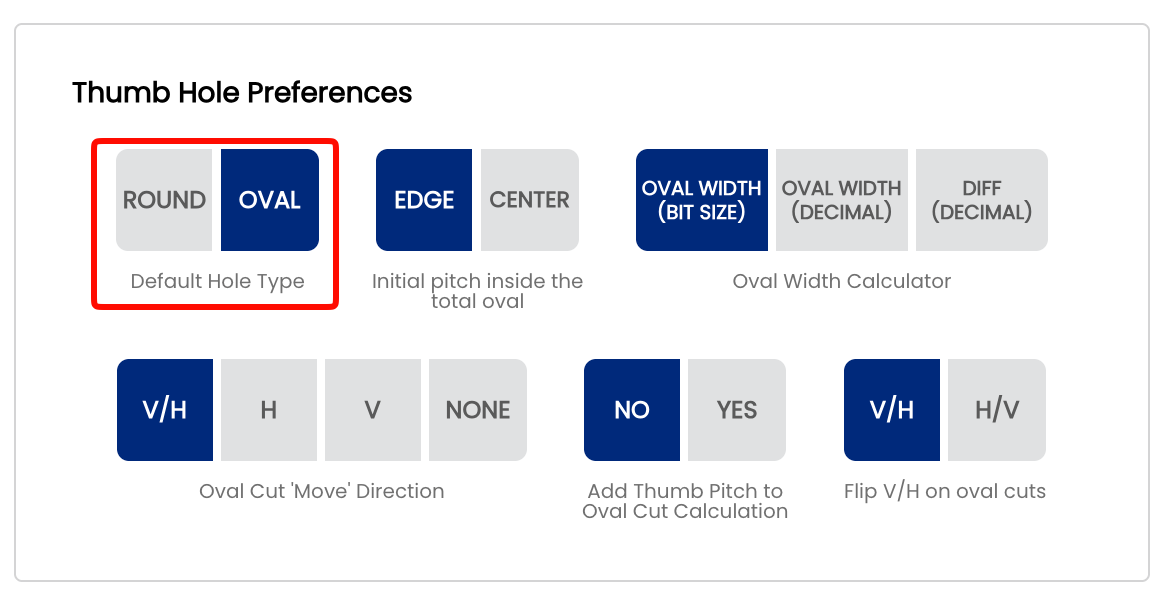
The Default Hole Type setting controls which hole type is pre-selected when you start a new spec sheet. Spectre Cloud supports two options: Round and Oval. Like all system defaults, this setting simply pre-populates the field — it can always be overridden on a per-sheet basis without affecting your shop default.
🕳️ Understanding Hole Types
Round Holes
Round holes are the standard hole type used in the majority of drilling layouts. Drilled at a fixed diameter with a standard bit, they are the most common choice for recreational and league bowlers.
- ✅ Used for most conventional and fingertip drilling styles
- ✅ Compatible with standard inserts and slugs
- ✅ Faster to drill and fit for most customers
Oval Holes
Oval holes are an elongated hole type used when a specific release technique, extra grip surface, or custom fit requires it. Spectre Cloud includes a dedicated Oval Calculator to determine the correct oval dimensions for each bowler — see Book 05 for full coverage.
- ✅ Provides additional contact area for better comfort
- ✅ Often used for bowlers with grip issues or specific fit requirements
- ✅ Oval dimensions are automatically calculated by the Oval Calculator
- ✅ Requires additional measurement steps compared to round holes
📋 Choosing Your Default
| Shop Type | Recommended Default | Reason |
|---|---|---|
| General / recreational pro shop | Round | Most customers receive standard round holes — saves time on every new sheet |
| Shop specialising in custom fitting | Oval | If the majority of your drilling involves oval holes, setting this as default reduces manual selection on every sheet |
⚙️ Changing the Default Hole Type
- Open Spectre Cloud at
cloud.spectrebowling.comand log in. - Select Settings from the menu.
- Navigate to the Thumb Hole Preferences section.
- Locate the Default Hole Type field and select either
RoundorOval. - Changes are saved automatically.
Note: Changing the default hole type only affects new spec sheets created after the setting is changed. Existing spec sheets are not modified.
Related Sections
Tip: Not sure which to pick? Start with Round — it's the right default for the vast majority of pro shops. You can always switch to Oval on a per-sheet basis for bowlers who need it, or update the default later as your shop's workflow evolves.