
2.6.4 Auto-Populate Lateral Pitches
2.6.4 auto
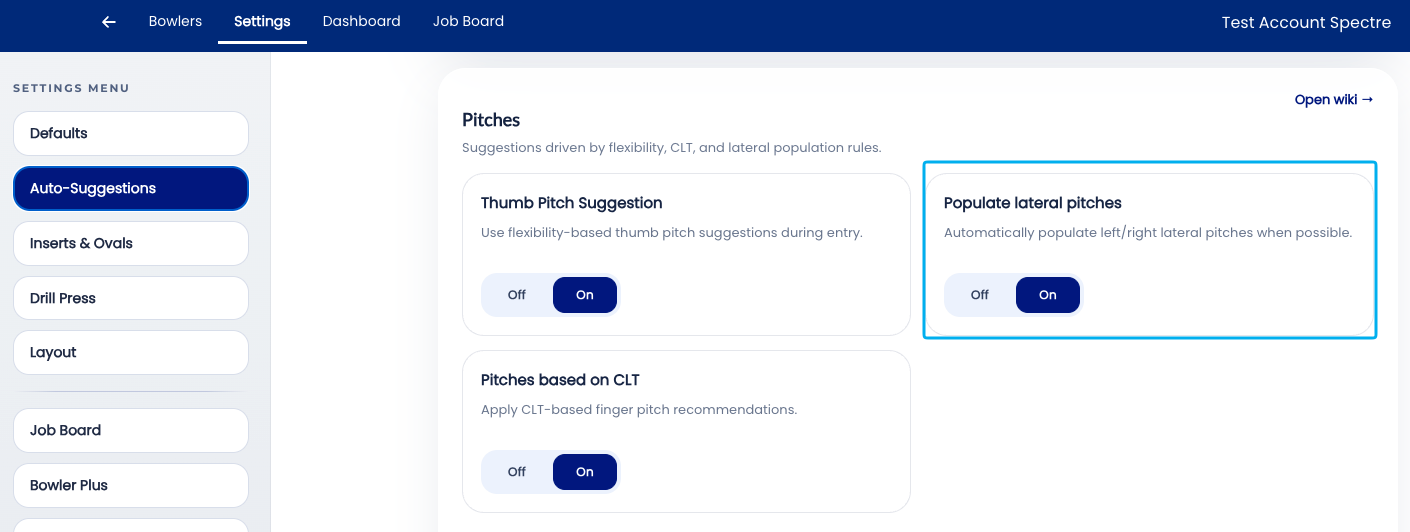
The Auto-Populate Lateral Pitches is another time saving auto-suggestion for Spectre Cloud. Pre-requisites for this to work will be Bowler Hand and Grip Type, both of which are System Defaults that you can setup in your settings.
📐 What values are populated
Lateral pitches will be auto-populated based on the header of the spec sheet.
- ✅ Bowler Hand: RH or LH will dictate the proper direction of the lateral pitches in the fingers.
- ✅ Grip Type: will determine which values are used.
- ✅ Will flip values or change values if one of those two values are changed during the data-entry process.
Defaults
| Right Handed | Left Handed | |||
|---|---|---|---|---|
| Finger | Middle | Ring | Middle | Ring |
| Conventional | 1/4 L | 5/8 R | 1/4 R | 5/8 L |
| Finger Tip | 3/8 L | 1/2 R | 3/8 R | 1/2 L |
🛠️ Enabling or Disabling Auto-Populate Laterals
Related Sections
- 2.6.3 — Auto-CLT: lateral pitch of fingers based on CLT chart
- 2.6.2 — Pitch suggestion: auto forward pitch based on hand flexibility
- 2.6.1 — Overview: why leaving all auto-suggestions on saves time
- 2.6.5 — Next auto-suggestion setting (if applicable)
- 2.4.1 — Does your machine display right pitch as positive? Y/N
- 3.x — Bowlers: recording handedness in a bowler profile
- 4.x — Spec Sheet: cloning and applying templates