
2.6.8 Ring finger 5/16 rule difference calculator
2.6.8 auto
The Ring finger 5/16 rule difference calculator setting controls whether Spectre Cloud will display an extended pop-up window when populating the RING FINGER.
The 5/16th rule is something that was taught by Bill Taylor and is a common measurement used if you are fitting with a BT Ball Fitter.
📐 What Is the 5/16" Rule?
The 5/16" rule is an IBPSIA-recognised fitting convention that defines the standard offset between the middle and ring finger spans. It reflects the natural length difference between the two fingers.
To get the base measurement required for the 5/16 rule, first start by measuring the difference between both fingers. Draw the Middle Finger crease, on the Ring Finger. Measure the difference.
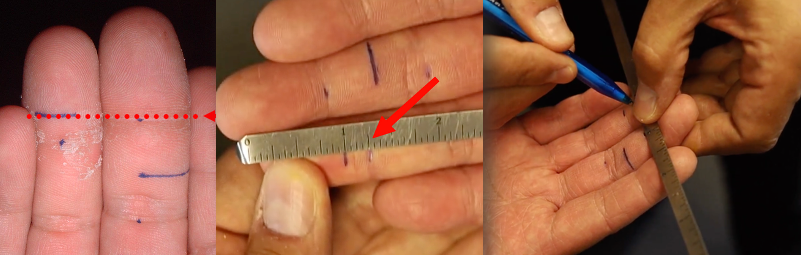
📊 How the Calculation Works
The auto-calculation is straightforward: Spectre Cloud subtracts 5/16" from the difference measured above.
| Middle Finger Span | Difference Measured | Formula | Ring Finger Span |
|---|---|---|---|
4" |
5/16" |
5/16 - 5/16 = 0 | 4" |
4" |
3/16" |
5/16 - 3/16 = 1/8 | 4 1/8" |
4" |
7/16" |
5/16 - 3/16 = -1/8 | 3 7/8" |
🛠️ Enabling or Disabling 5/16 calculator
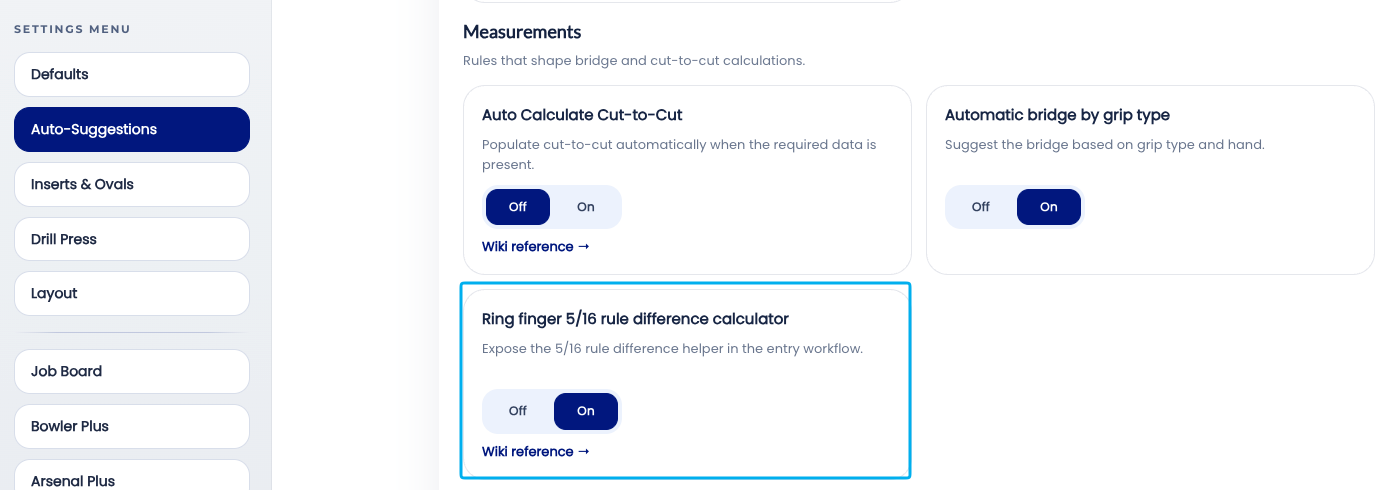
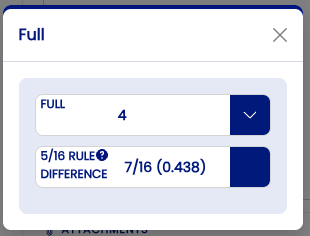
🔄 Overriding the Auto-Calculated Value
The auto-calculated ring span is a suggestion, not a lock. It can be overridden manually on any individual spec sheet without affecting the account setting.
- ✅ Select a different ring span value — the override is saved to the spec sheet as entered.
- ✅ Select a different 5/16 rule value to calculate the span
Both drop downs are related to one-another. Either select the measurement or the difference.
Related Sections
- 2.6.7 — Auto-Repeat Insert Size: mirror size from ring to middle finger
- 2.6.6 — Autofill Insert OD: auto drill bit size per insert type and grip
- 2.6.5 — Autofill Bridge: auto standard bridge (1/4" fingertip, 3/8" conventional)
- 2.6.1 — Overview: why leaving all auto-suggestions on saves time
- 2.6.9 — Next auto-suggestion setting (if applicable)
- 2.3.2 — Span type configuration: Full Span, Edge, Center
- 4.x — Spec Sheet: entering span measurements
- 3.x — Bowlers: recording finger measurements in a bowler profile
Tip: The 5/16" rule has been a pro shop standard for decades because it works for the overwhelming majority of bowlers. Auto-Calculate Ring Span turns that standard into a zero-effort step — the ring span is simply there when the fitter reaches that field. For the small number of bowlers where the standard offset doesn't apply, the override takes seconds. The math is always done; the question is only whether Spectre Cloud does it or the fitter does.
```