
2.2.2 Grip Type — Finger Tip vs. Conventional as default
2.2.2 default
The Grip Type setting controls which grip style is pre-selected when you create a new spec sheet. Choosing the right default for your shop saves time — your drillers won't need to manually switch the grip type for every new client.
🤚 What Is Grip Type?
Grip type describes how deeply a bowler's fingers are inserted into the ball:
- Fingertip — fingers inserted to the first knuckle. Produces higher rev rates and more hook potential. The most common grip for league and sport bowlers, and the most frequently used grip in a typical pro shop.
- Conventional — fingers inserted to the second knuckle. Offers more control with less hook. Common for beginners, recreational bowlers, and some senior bowlers.
Note: The grip type setting affects only the default pre-selection on new spec sheets — you can always override it on a per-bowler or per-sheet basis.
⚙️ Setting Your Default Grip Type
- Open Spectre Cloud at
cloud.spectrebowling.comand log in. - Select Settings from the menu.
- Navigate to the System Defaults section.
- Locate the Grip Type field and select either Fingertip or Conventional from the dropdown.
- Changes will be saved automatically.
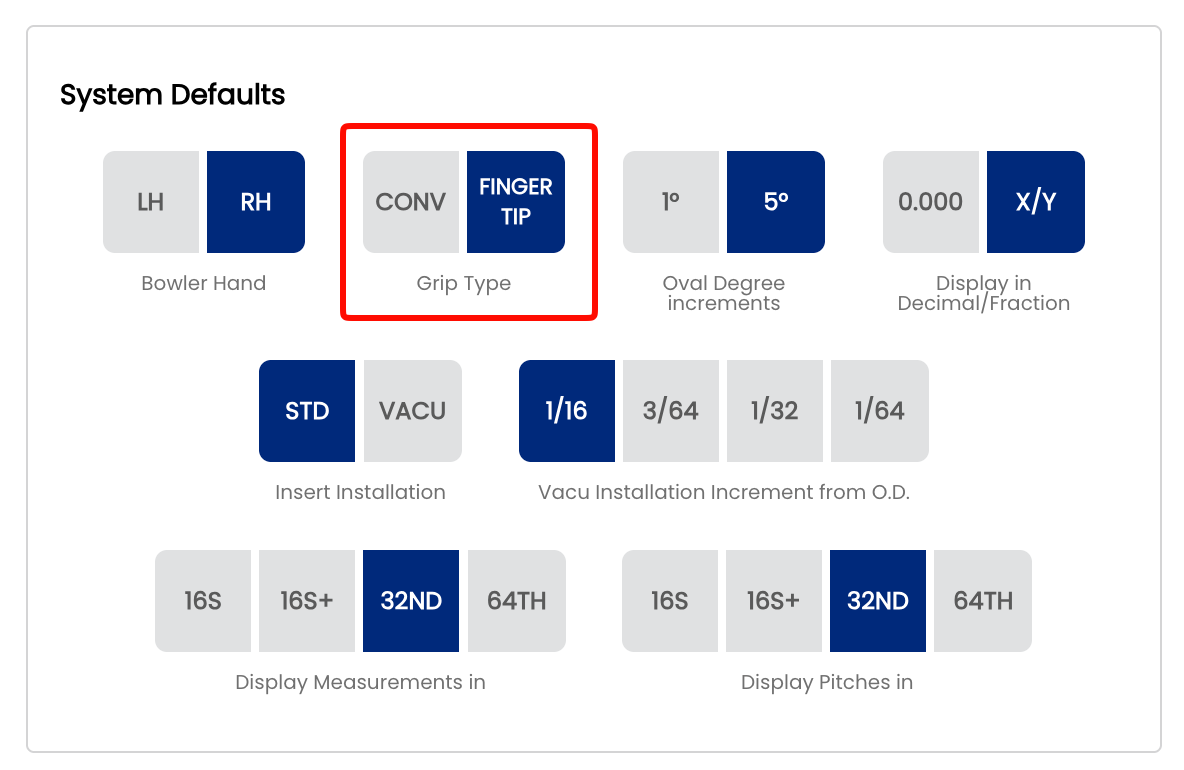
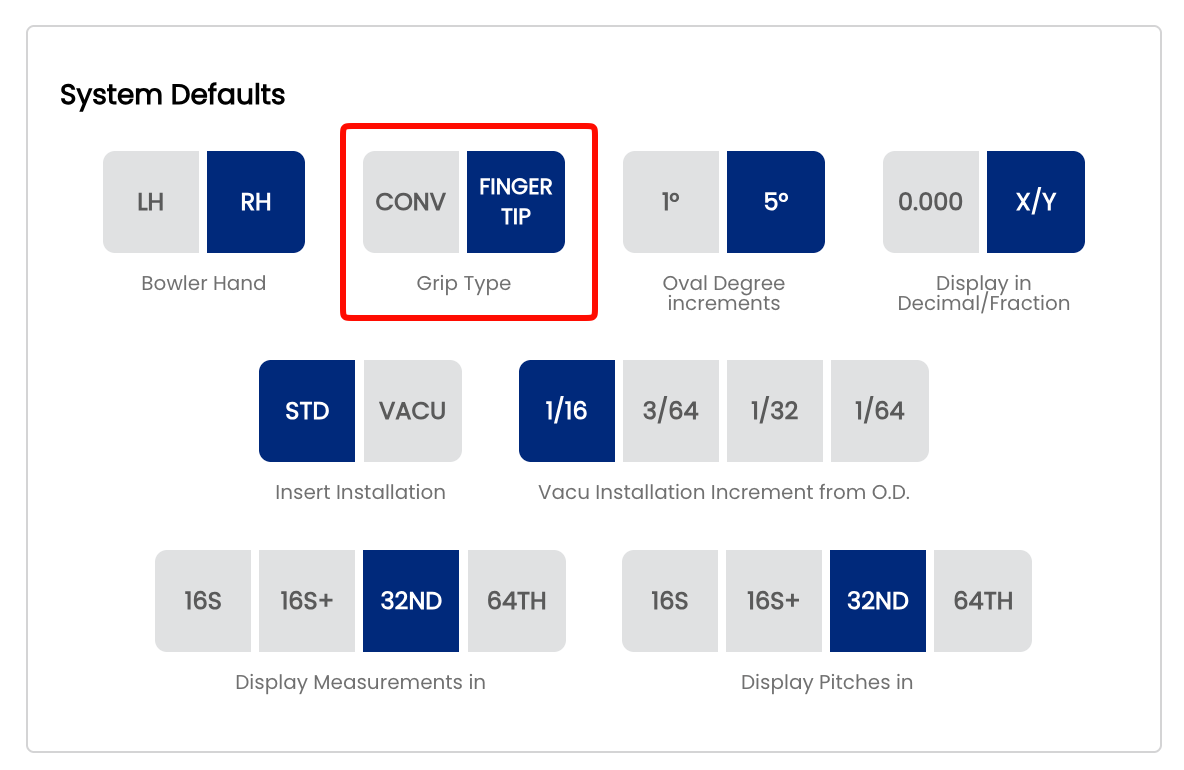
From this point forward, all new spec sheets will open with the selected grip type pre-filled. Existing spec sheets are not affected.
🎳 Which Default Should You Choose?
| Shop Type | Recommended Default | Reason |
|---|---|---|
| Competitive / league-focused shop | Fingertip | Majority of sport bowlers use fingertip grip |
| Family or recreational shop | Conventional | Beginners and casual bowlers typically use conventional |
| Mixed clientele | Fingertip | Fingertip is the Spectre Cloud factory default and suits most shops |
🔄 Overriding the Default on a Spec Sheet
Even after setting a shop-wide default, the grip type can be changed on any individual spec sheet:
- Open or create a spec sheet for a bowler.
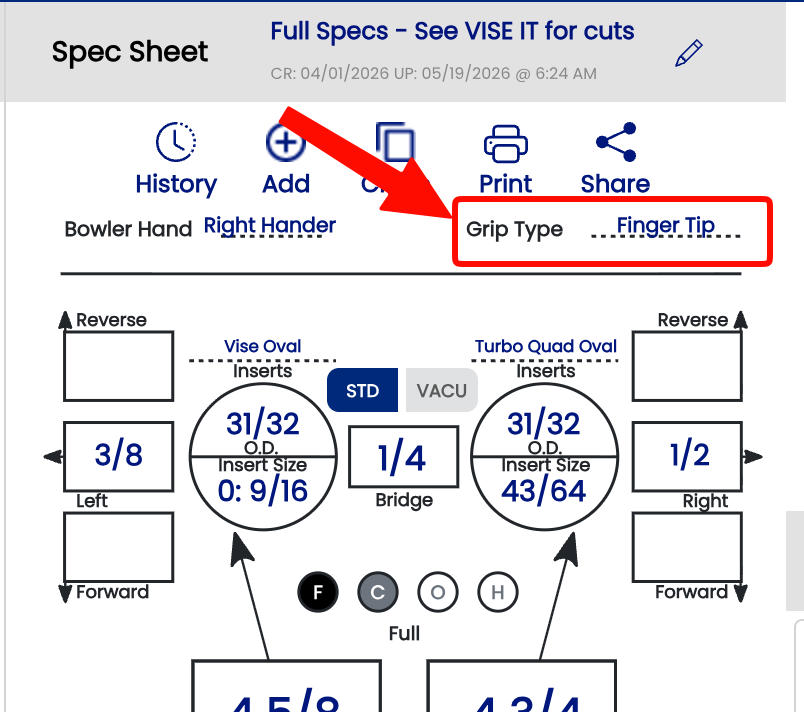
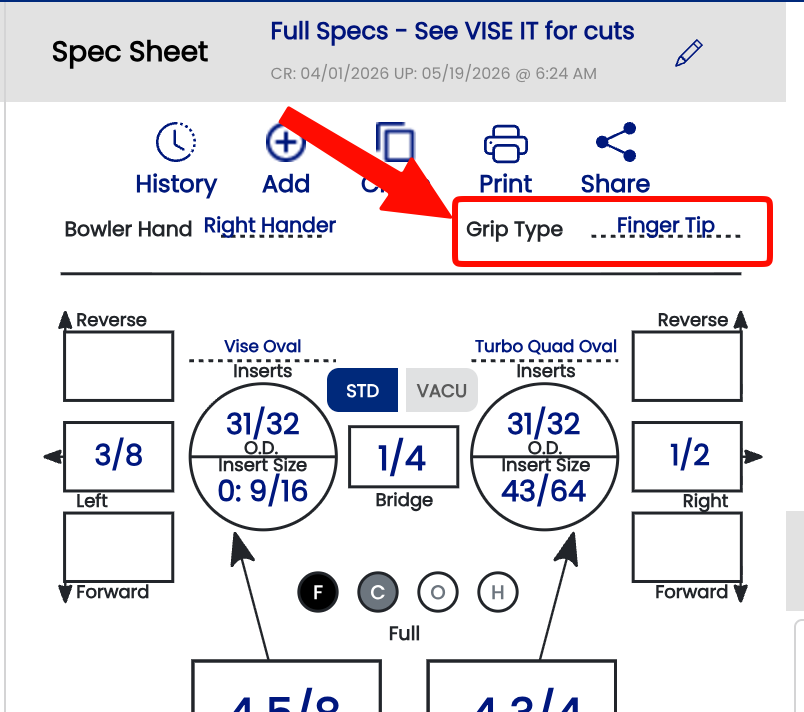
- Locate the Grip Type field near the top of the sheet.
- Select the appropriate grip from the dropdown — Fingertip or Conventional.
- The change applies to that sheet only and does not affect your shop default.
Tip: If you notice your drillers frequently overriding the default, it may be worth revisiting your shop default setting to better match your typical clientele.
Related Sections
- 2.2.1 — Span Type Defaults (Full Span, Cut to Cut, Oval)
- 2.2.3 — Insert Defaults
- 4.1 — Creating a New Spec Sheet
- 4.2 — Understanding Span Types