
2.5.2 Default Dual Angle Degree Increments — 1° vs. 5°
2.5.2 layout
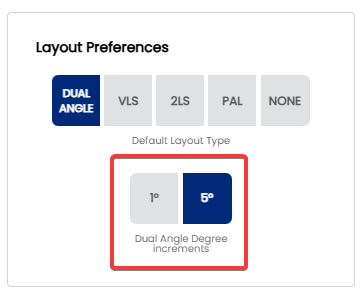
When entering drilling angle and VAL angle values in a Dual Angle layout, Spectre Cloud lets you choose the degree increment used when adjusting angle inputs — either 1° for fine-grained control or 5° for faster, coarser adjustment. This setting determines the default step size applied across all Dual Angle spec sheets, saving you from changing it manually every session.
🔄 The Two Increment Options
| Increment | Adjustment Step | Best For |
|---|---|---|
| 1° | Each step changes the angle by one degree | Competitive and coaching environments where fine layout adjustments matter; experienced fitters working with precise PAP data |
| 5° | Each step changes the angle by five degrees | General pro shop use; shops where Dual Angle is used but high-precision tuning is not the primary goal; faster data entry |
🛠️ Setting the Default Degree Increment
Note: Changing this setting does not alter angle values already saved on existing spec sheets. It only affects the step size used when adjusting angles on new or in-progress sheets going forward.
Related Sections
- 2.5.1.3 — PAL / Dual Angle system
- 2.5.1 — Default layout type: VLS, 2LS, Dual Angle, None
- 2.5.3 — Next setting in this chapter (if applicable)
- 4.x — Spec Sheet: selecting and entering a layout
- 7.x — Arsenal Plus: suggested layouts and layout conversion