
How to clone the sheet
Cloning the sheet is the best option for updating a bowler's measurements while saving the old measurements in the bowler's history.
1. To clone the sheet , click on clone button


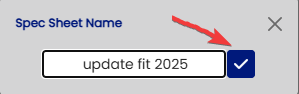
Then you can name the update the name of the sheet

Then click the check mark button
You profile will now have 2 sheets recorded .
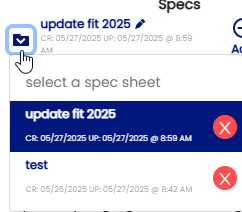
You can clone as many sheets as you wish by just clicking on the clone button.