
How to clone the sheet
Clone the sheet is the option that keep your old sheet saved and you can proceed to make any update on the hand of the bowlers.
1. To clone the sheet , click on clone button


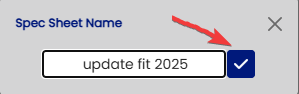
Then you can name the update the name of the sheet

Then click the check mark button
You profile will now have 2 sheets recorded .
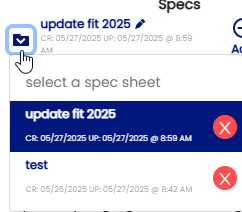
You can clone as many sheets as you wish by just clicking on the clone button.