
2.6.7 Auto-Repeat Insert Size — mirror size from ring to middle finger
2.6.7 auto
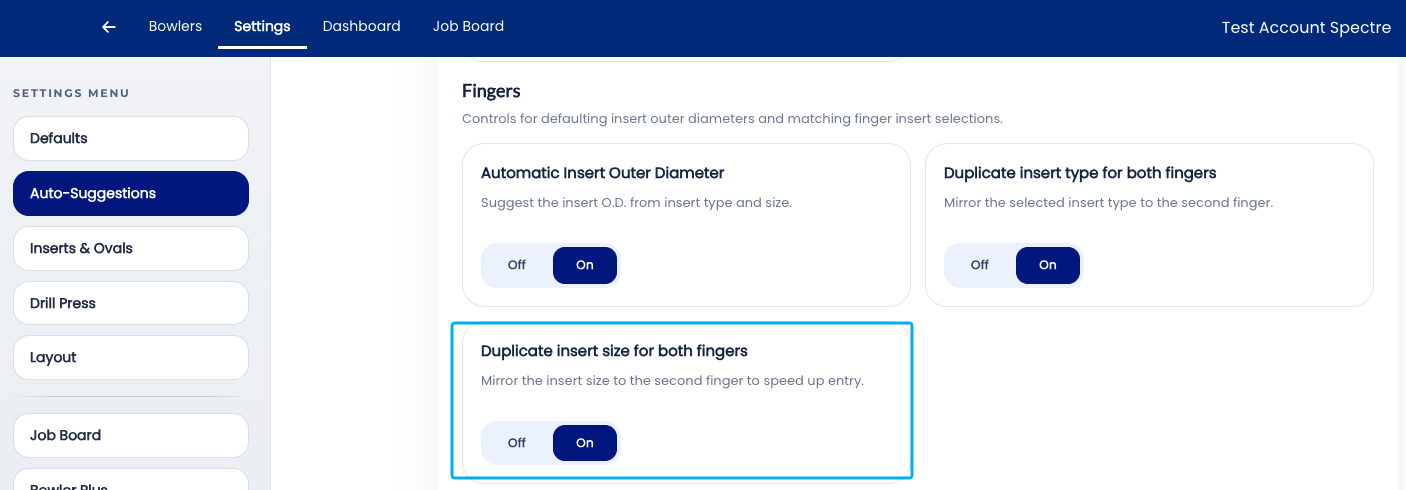
The Auto-Repeat Insert Size setting controls whether Spectre Cloud automatically copies the ring finger insert size to the middle finger insert size field when a spec sheet is being completed. For the majority of bowlers, one finger is just slightly bigger than the other, therefore the dropdown value will be close to the first entry. This setting simply saves time at data-entry.
🛠️ Enabling or Disabling Auto-Repeat Insert Size
Related Sections
- 2.6.6 — Autofill Insert OD: auto drill bit size per insert type and grip
- 2.6.5 — Autofill Bridge: auto standard bridge (1/4" fingertip, 3/8" conventional)
- 2.6.1 — Overview: why leaving all auto-suggestions on saves time
- 2.6.8 — Next auto-suggestion setting (if applicable)
- 3.x — Bowlers: recording finger measurements in a bowler profile
- 4.x — Spec Sheet: entering insert sizes and OD
Tip: Auto-Repeat Insert Size is one of those settings that is invisible when it is working correctly — the middle finger field is simply already filled in when the fitter gets to it. Its value becomes obvious the first time it is turned off and a fitter submits a spec sheet with the middle finger field blank. Leave it on.