# 4.2.5 Cloning a spec sheet
4.2.5TIPstep-by-step
When you need to make an adjustment to an existing fit, and you want to document the change in the spec sheet history, cloning a spec sheet saves time and prevents transcription errors. Instead of re-entering every measurement from scratch, you duplicate an existing sheet and change only what's different for the new fit. The original spec sheet is never altered.
## 🔄 What Cloning Does
- ✅ Creates a complete copy of the selected spec sheet — span, pitch, grip type, layout, and notes.
- ✅ **Prompts you to rename the sheet before the copy loads** — so you can describe the new drilling right away (e.g., `Refit pain ring finger 2026`).
- ✅ Saves the clone as a separate, independent record — changes to the clone never affect the original.
- ❌ Does not automatically link the clone to an arsenal ball — that's done separately.
## 🛠️ How to Clone a Spec Sheet
1. Open the bowler's profile from the **Bowlers** list.
2. Go to the **Spec Sheets** tab for that bowler.
3. Find the sheet you want to clone — use the name and date to confirm you have the right record.
4. Open the sheet and select the **Clone** option.
5. When prompted, **give the clone a new name** that reflects the new ball or the change you're making.
6. Spectre Cloud opens the renamed copy for editing.
7. Edit any measurements, pitches, or layout details that differ from the original.
8. Save the cloned spec sheet.
## 📸 Visual Walkthrough
1. **Open the bowler profile** — select the bowler whose spec sheet you want to clone. 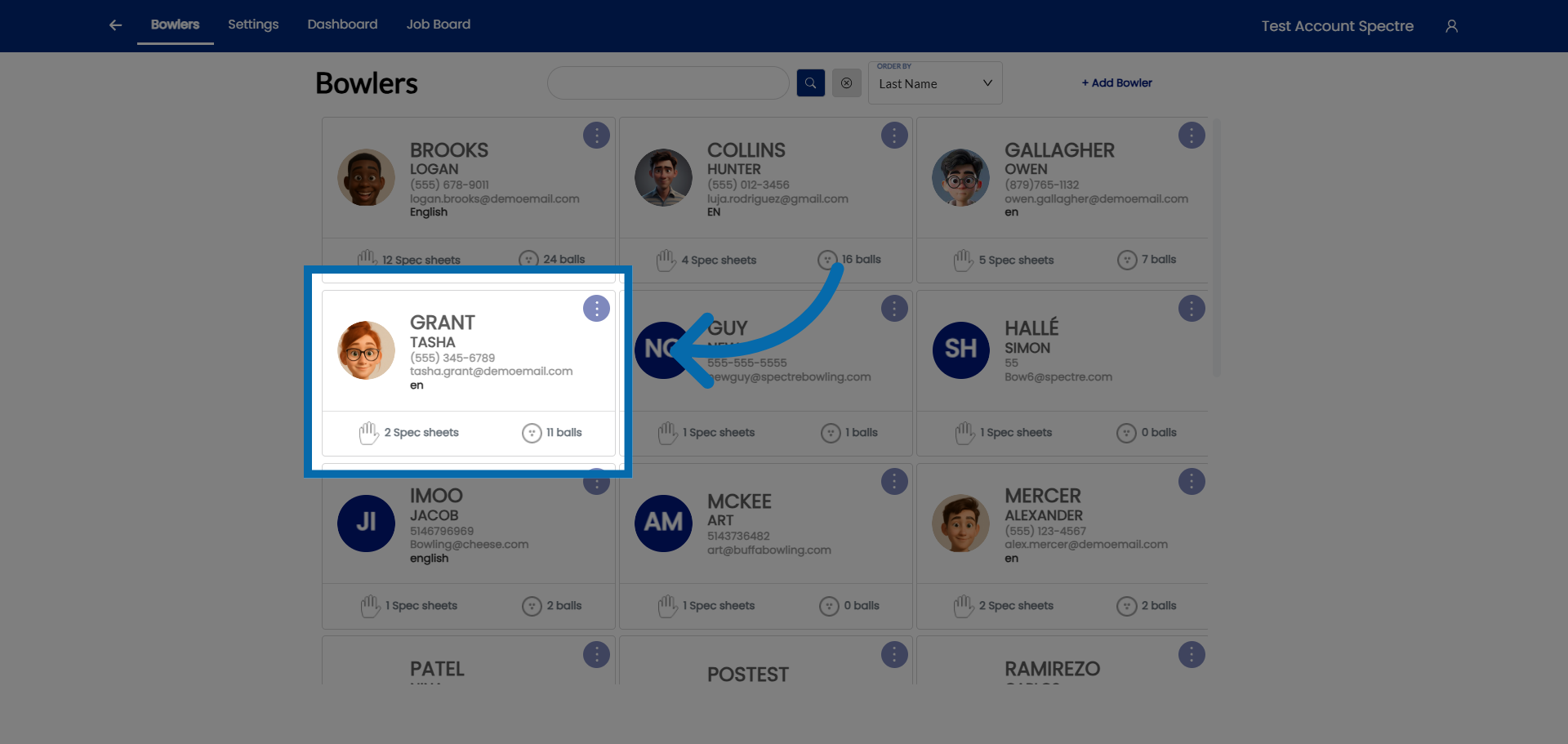
2. **Hit the CLONE button** — create a clone of the spec sheet. 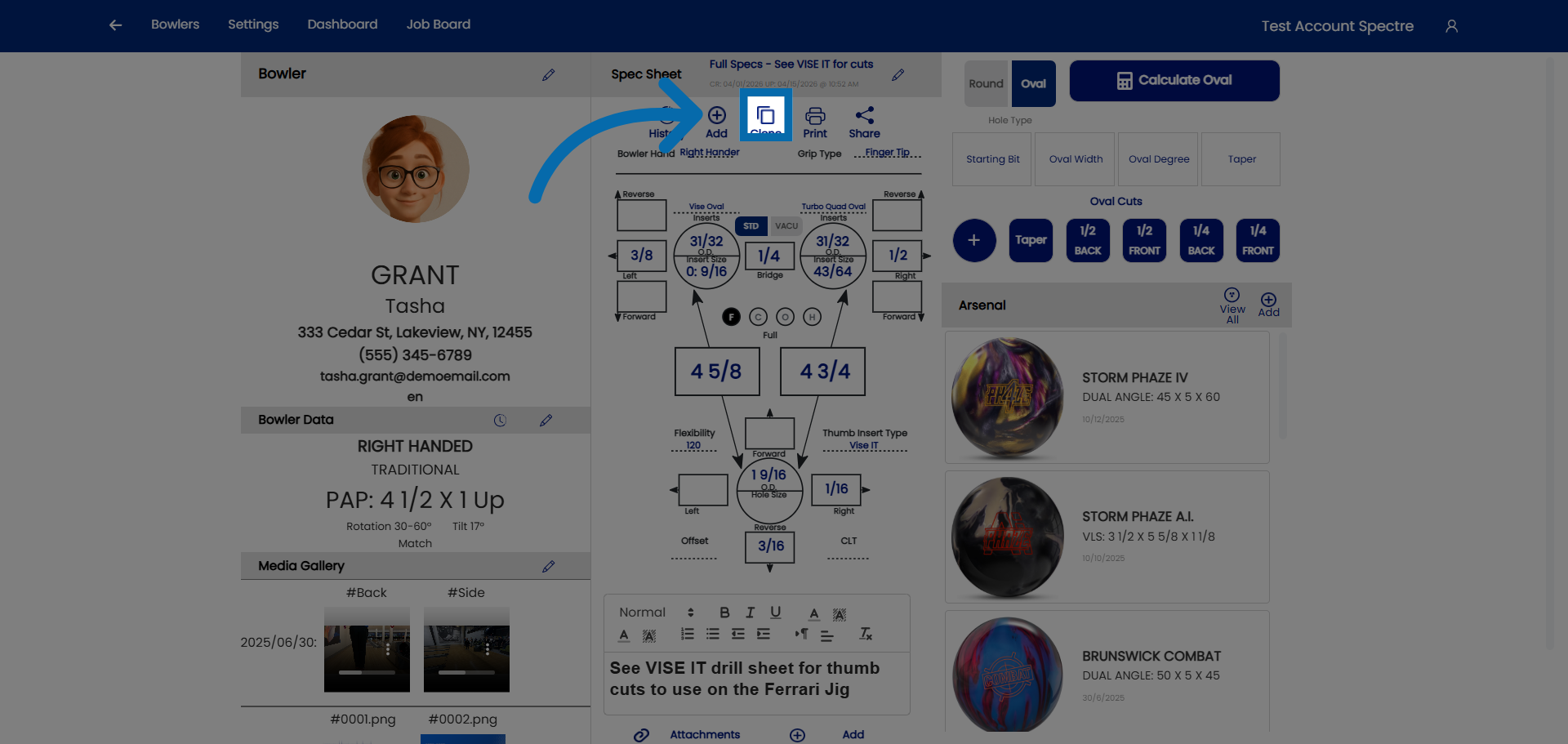
3. **Name the cloned sheet** — click "Spec Sheet Name" to rename the clone at the prompt. 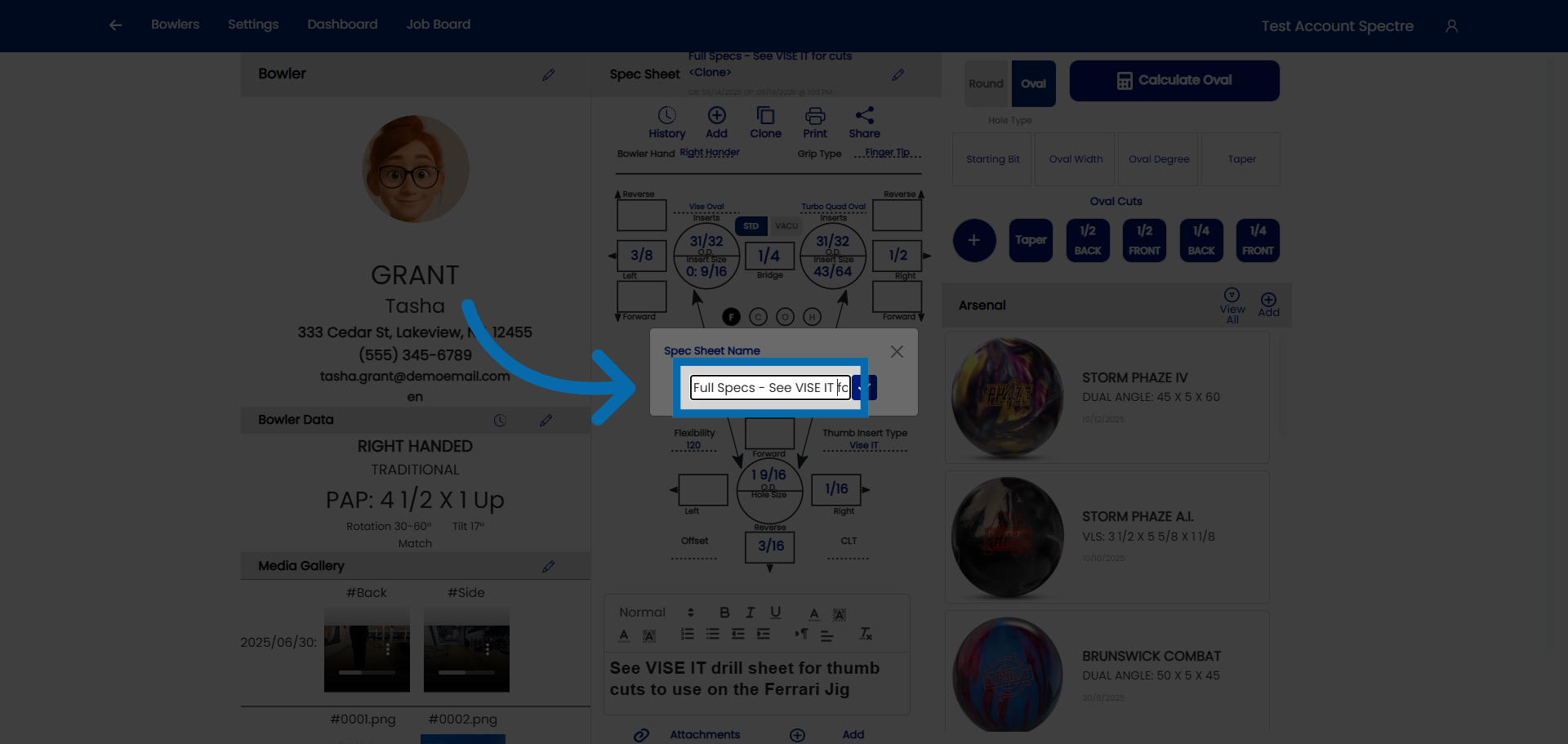
4. **Confirm the name.**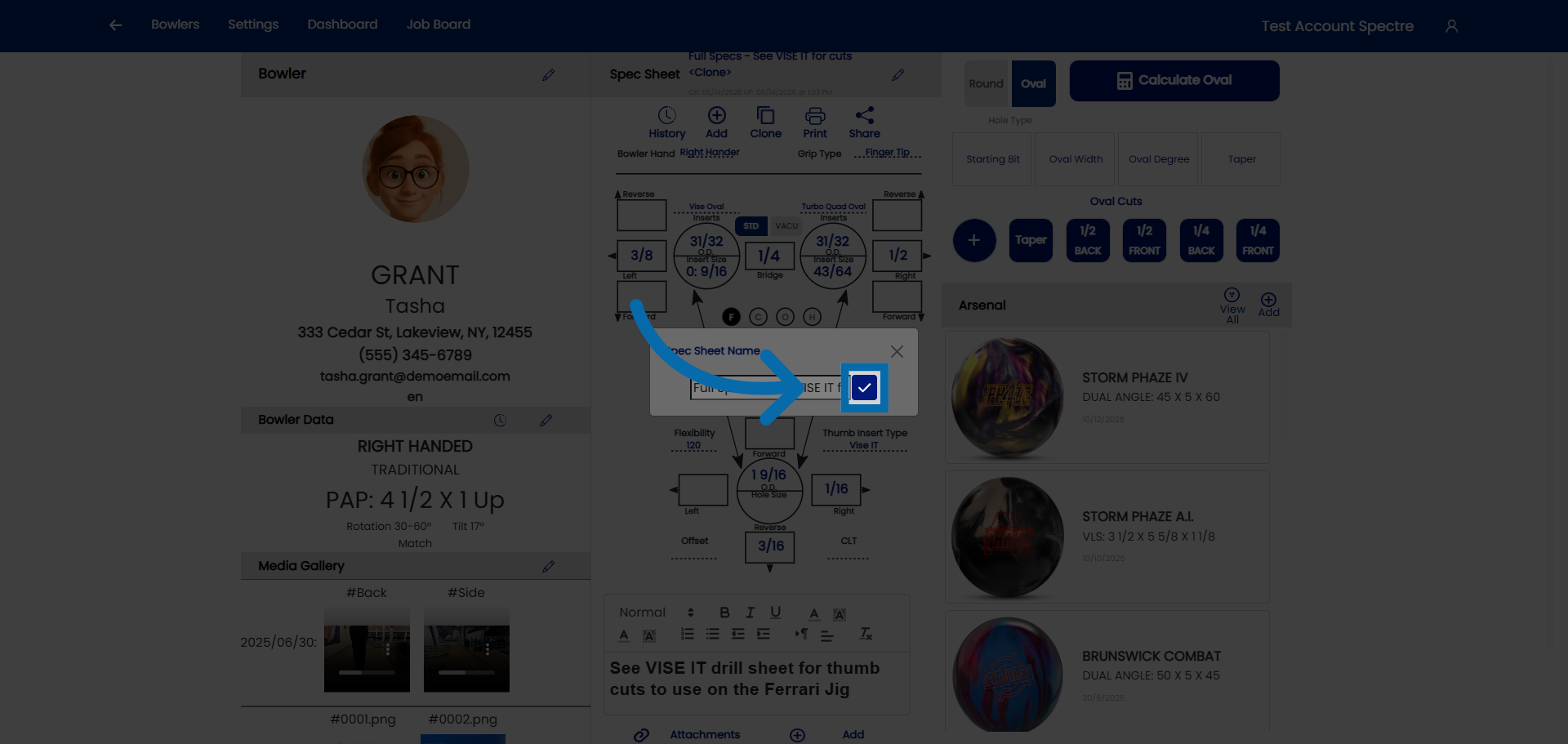
5. **Modify the necessary fields** — proceed to adjust the bowler's specs on the cloned sheet. 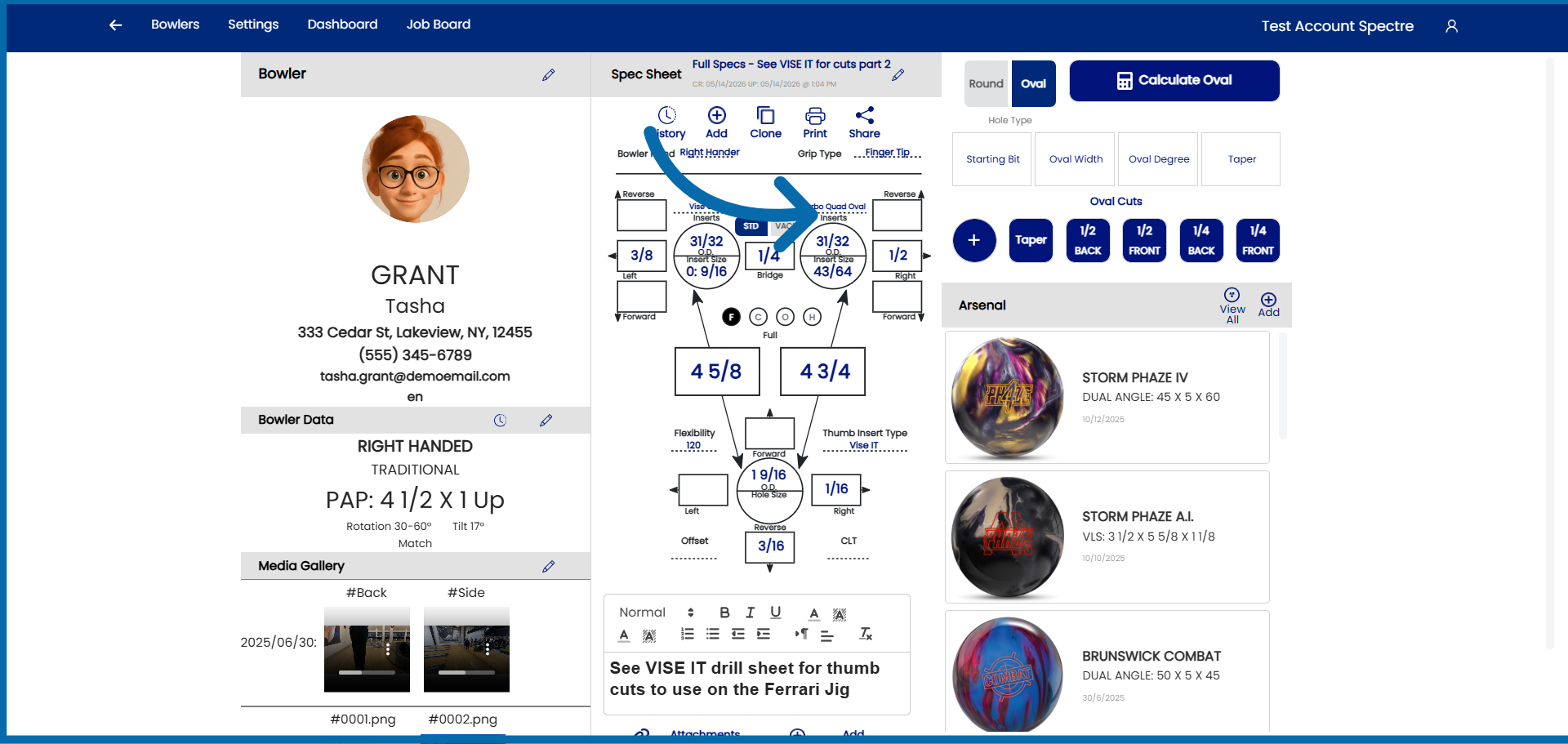
### Related Sections
- 4.2.2 — Naming a spec sheet
- 4.2.1 — Creating a new spec sheet
- 4.4 — Viewing spec sheet history for a bowler
- 7.1 — Arsenal overview (linking cloned spec sheets to arsenal balls)
**Tip:** The rename prompt at clone time is the moment your history earns its value. A quick, descriptive name on every clone turns a bowler's spec sheet list into a readable record of their equipment evolution — and makes future ball conversations much easier.