2.6.10 Layout Suggestions
2.6.10 auto
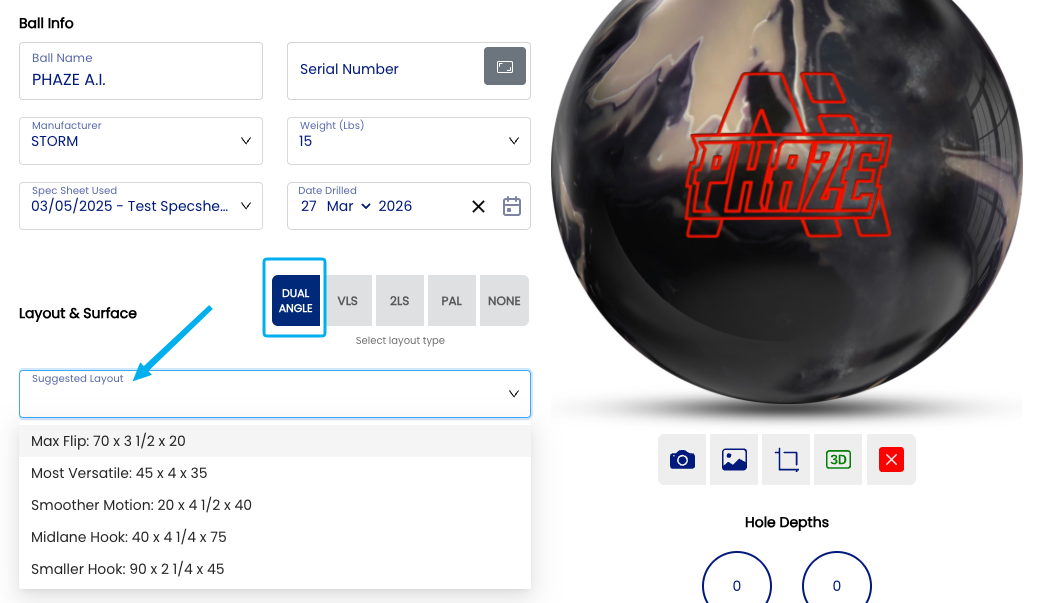
The Auto-Suggest Layouts will display an additional input in the Arsenal page. A "Suggested Layout" dropdown will now appear over the layout input fields. These layout suggestions are the manufacturer suggested layouts, based on the layout style you had selected.
📊 Layout suggestions
There is no AI built into this tool. It is as simple as the suggested layouts per manufacturer on their website. This setting is simply a time saver based on general knowledge of what is required from the bowler.
| Layout Type | Suggestions | Link |
|---|---|---|
| Dual Angle | Brunswick suggested standard layouts | Brunswick Universal Drilling Instructions |
| VLS | Storm suggested standard layouts | Storm Downloads |
| 2LS | Storm suggested standard layouts for 2 handed bowlers. | Storm Downloads |
| PAL | Bowling Science standard suggested layouts. | PAL YouTube Video |
Note: ⚠️ These suggestions are widely available online on the manufacturer websites.
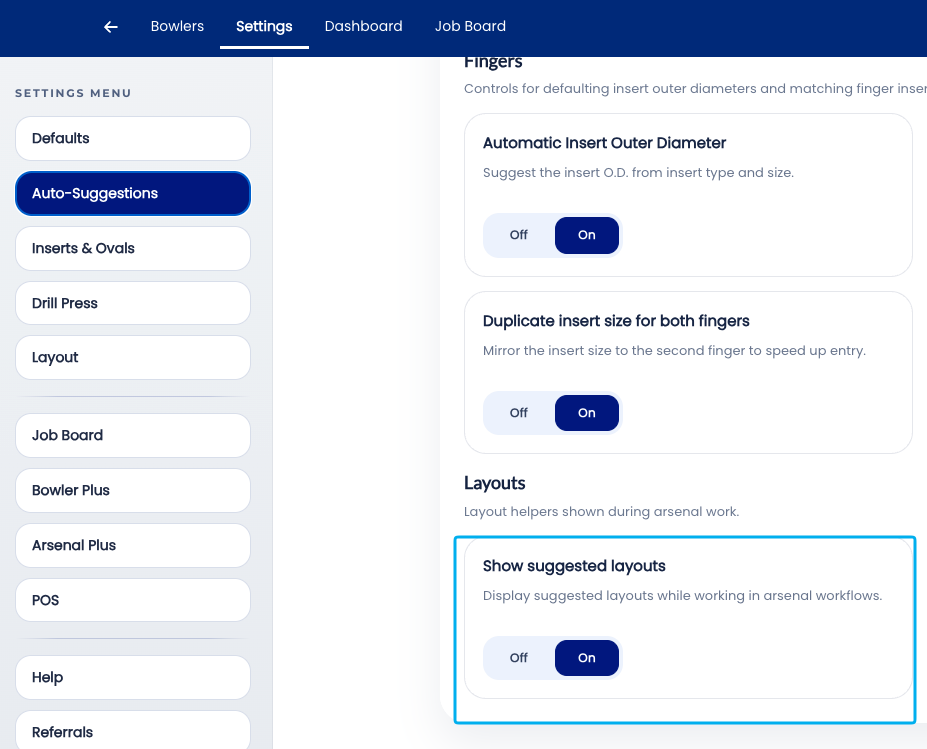
🛠️ Enabling or Disabling Auto-Suggest Layouts
Related Sections
- 2.6.9 — Autofill Cut to Cut: based on insert type/size
- 2.6.1 — Overview: why leaving all auto-suggestions on saves time
- 2.5.1 — Default layout type: VLS, 2LS, Dual Angle, None
- 2.5.1.3 — PAL / Dual Angle system
- 2.6.11 — Next auto-suggestion setting (if applicable)
- 3.x — Bowlers: completing a full bowler profile
- 4.x — Spec Sheet: reviewing and accepting a layout suggestion
- 7.x — Arsenal Plus: suggested layouts and layout conversion
Tip: Auto-Suggest Layouts gets better the more you use Spectre Cloud. Every spec sheet saved — whether the suggested layout was accepted, adjusted, or overridden — contributes to the bowler's history that informs the next suggestion. The engine is not static; it reflects the accumulated record of what has been drilled for each bowler. The sooner it is turned on, the sooner it starts building that record.