2.2.4 Oval Degree Increments — 1° vs. 5° increments
2.2.4 display
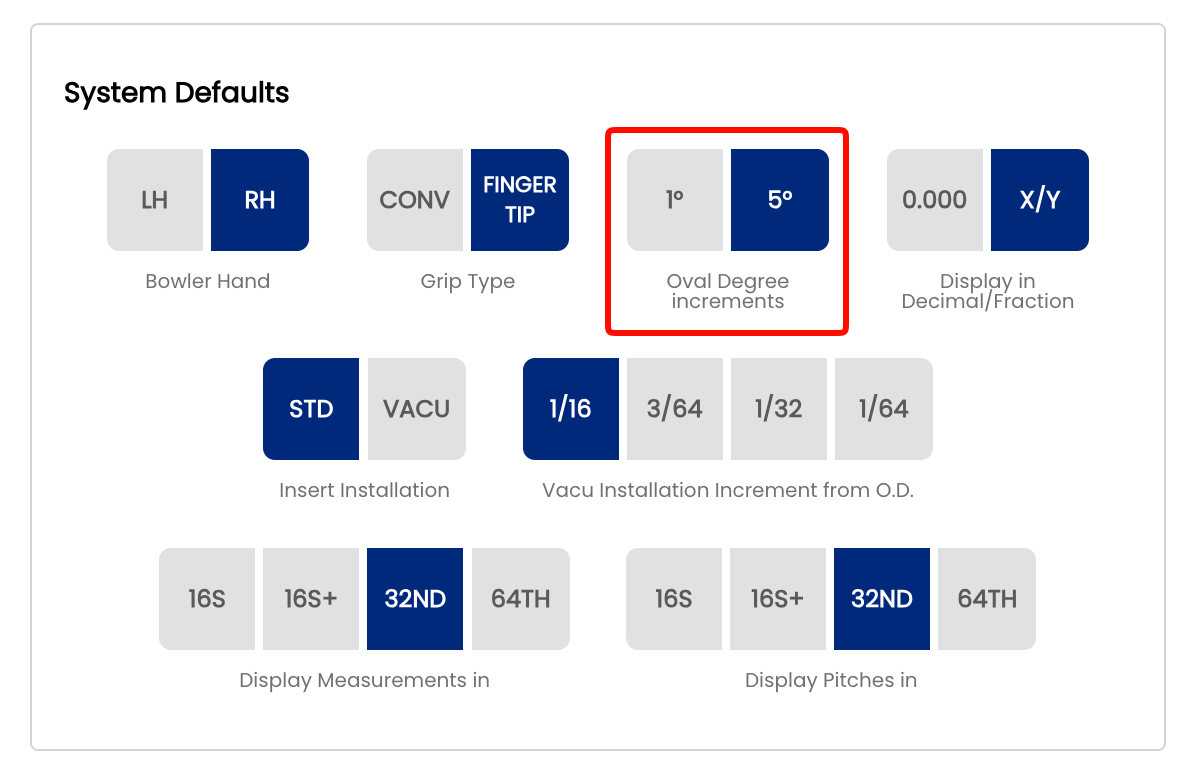
The Oval Degree Increments setting controls the step size of the degree selector in the Oval Calculator. You can choose between 1° increments for fine-grained precision, or 5° increments for faster, broader selections. The right choice depends on how precisely your shop fits oval thumb holes and how quickly your drillers need to move through the calculator.
🔵 What Are Oval Degree Increments?
When calculating an oval hole, Spectre Cloud asks for the oval angle — the rotational degree at which the oval is oriented relative to the center line. The degree selector steps through available angles one click (or tap) at a time. This setting determines the size of each step:
- ✅ 1° increments — the selector advances one degree at a time (e.g.
30°, 31°, 32°, 33°…). Gives maximum control over oval orientation, ideal for fitters who dial in angles precisely for each bowler. - ✅ 5° increments — the selector jumps five degrees at a time (e.g.
20°, 25°, 30°, 35°…). Faster to navigate and sufficient for shops where oval angles are rounded to the nearest 5° as standard practice.
Note: This setting only affects the degree selector in the Oval Calculator. It does not change how oval measurements are stored, calculated, or displayed on spec sheets.
⚙️ Changing the Oval Degree Increment
- Open Spectre Cloud at
cloud.spectrebowling.comand log in. - Select Settings from the menu.
- Navigate to the System Defaults section.
- Locate the Oval Degree Increments field and select either 1° or 5°.
- Changes are saved automatically.

🎳 Which Increment Should You Use?
| Situation | Recommended Setting | Reason |
|---|---|---|
| Precision fitting for competitive bowlers | 1° increments | Allows exact oval angles when bowler fit requires it |
| High-volume shop, recreational clientele | 5° increments | Speeds up entry — most recreational ovals land on a 5° boundary anyway |
| New driller learning the oval workflow | 5° increments | Fewer options reduces decision fatigue during training |
| Shop that copies angles from legacy paper sheets | 1° increments | Legacy sheets may record non-round angles that need exact matching |
Related Sections
- 2.2.3 — Display in Decimal vs. Fractional
- 5.1 — Overview of the Oval Calculator
- 5.2 — Using the Oval Calculator Step by Step
- 4.3 — Adding an Oval Span to a Spec Sheet