# 2.2.3 Display in Decimal vs. Fraction (0.000 vs. fractions)
2.2.3 display
The **Measurement Display** setting controls whether span, oval, bridge, and depth measurements appear throughout Spectre Cloud in **decimal** format (e.g. `4.25"`) or **fractional** format (e.g. `4 ¼"`). This is a display-only preference — the underlying values are the same either way.
## 📐 Decimal vs. Fractional — What's the Difference?
Both formats represent the same physical measurements. The choice comes down to your shop's convention and what your drillers are most comfortable reading at a glance:
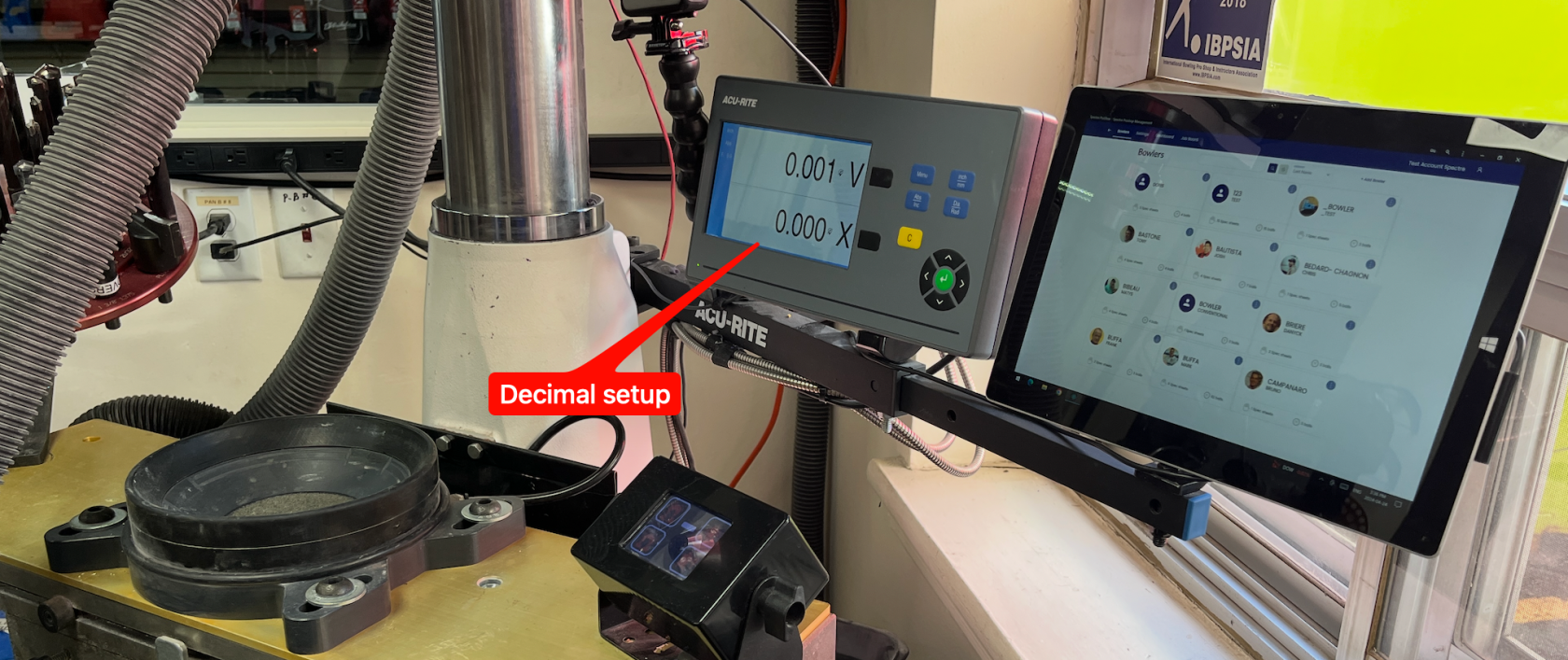
- ✅ **Decimal** — displays measurements as a number with up to three decimal places (e.g. `0.250"`). Easier to use on the drill press when using a digital display that is always in decimal.
- ✅ **Fractional** — displays measurements using traditional fractions (e.g. `1/4"`). The longtime standard in the pro shop industry and widely used when writing spec sheets by hand.
**Note:** This setting applies across **all pitches** in the spec sheet.
## ⚙️ Changing the Display Format
1. Open Spectre Cloud at `cloud.spectrebowling.com` and log in.
2. Select **Settings** from the menu.
3. Navigate to the **System Defaults** section.
4. Locate the **Display in Decimal/Fraction** field and select either **Fractional(0.000)** or **Decimal(X/Y)**.
5. Changes are saved automatically.
## 📏 Which Format Should You Use?
The right choice depends on how your shop works at the drill press.
If your drill press has digital readouts and you run them in fractional mode, stick with fractional — it keeps Spectre consistent with what you're already reading on the machine. If your readouts are in decimal, set Spectre to decimal for the same reason.
Decimal is also a solid choice for shops without digital readouts. A decimal value maps directly to your drill press handle — `0.500"` means 5 full turns on the axis wheel, which makes it easy to translate from screen to press without any mental conversion.
[](https://wiki.spectrebowling.com/uploads/images/gallery/2026-05/m39image.png)
## 🖨️ Effect on Printed Spec Sheets & Exports
When you print a spec sheet or export bowler records, the measurements will appear in whichever format is currently active in your settings. If you share spec sheets with another pro shop or a ball manufacturer, confirm which format they prefer before printing.
- ✅ Printed spec sheets reflect the active display format at the time of printing.
- ❌ There is no per-sheet override — the setting is shop-wide.
**Tip:** If you switch formats mid-season, nothing in your saved data changes — only how it's displayed. You can switch back at any time without affecting stored spec sheet values.
### Related Sections
- 2.2.2 — Grip Type: Fingertip vs. Conventional as the Default
- 4.1 — Creating a New Spec Sheet
- 5.1 — Overview of the Oval Calculator