2.6 — Auto-Suggestions
- 2.6.1 Overview — why leaving all Auto-Suggestions ON saves time
- 2.6.2 Pitch Suggestion — auto forward pitch based on hand flexibility
- 2.6.3 Auto-CLT — lateral pitch of fingers based on CLT chart
- 2.6.4 Auto-Populate Lateral Pitches
- 2.6.5 Autofill Bridge
- 2.6.6 Autofill Insert OD
- 2.6.7 Auto-Repeat Insert Type and Size
- 2.6.8 Ring finger 5/16 rule difference calculator
- 2.6.9 Autofill Cut to Cut measurement based on insert type/size
- 2.6.10 Layout Suggestions
2.6.1 Overview — why leaving all Auto-Suggestions ON saves time
2.6.1 TIP auto
Spectre Cloud includes a suite of auto-suggestion features that automatically populate recommended values across spec sheets as you work — finger and thumb sizes, pitches, spans, surface finishes, and more. These suggestions are grounded in IBPSIA standards and the bowler's own fitting history. This page explains what the auto-suggestion system does, why it is designed to be left on by default, and when manual override makes sense.
✨ What Auto-Suggestions Do
As a spec sheet is filled in, Spectre Cloud's auto-suggestion engine monitors the values entered and surfaces recommended figures for fields that haven't been completed yet.
Auto-suggestions are particularly more effective on a new spec sheet. The auto-populated fields make the data entry process that much more simple and save you time not having to look-up certain values in charts on your wall.
🛡️ Auto-Suggestions Are Starting Points, Not Locks
Every auto-suggested value in Spectre Cloud can be overridden manually at any time. The suggestion engine is designed to do the heavy lifting on values that are likely to be correct, so the fitter's attention can focus on the values that require judgment.
- ✅ Accept a suggestion by leaving the field as populated — no extra step needed.
- ✅ Override a suggestion by simply typing or selecting a different value — the system does not resist or warn against overrides.
- ✅ Overridden values are saved to the bowler's history and inform future suggestions — the engine learns from actual drilled values, not just IBPSIA defaults.
- ❌ Auto-suggestions are not a substitute for a physical fitting — always verify suggested values against the bowler's hand before drilling.
Note: A suggestion appearing in a field does not mean it has been confirmed or saved. Always review every field on a spec sheet before saving, regardless of whether the value was suggested or entered manually.
Related Sections
- 2.6.2 — Auto-suggestion settings: finger hole sizes
- 2.6.3 — Auto-suggestion settings: thumb hole size (if applicable)
- 2.6.x — Individual auto-suggestion toggle pages
- 4.x — Spec Sheet: reviewing and confirming auto-suggested values
- 9.x — Tips and Troubleshooting: auto-suggestions not appearing
Tip: Think of auto-suggestions as a well-trained assistant who has read every spec sheet your shop has ever produced. They will pre-fill the form based on what has worked before — but you are always the fitter, and the final call is always yours.
2.6.2 Pitch Suggestion — auto forward pitch based on hand flexibility
2.6.2 auto
The Pitch Suggestion setting controls whether Spectre Cloud automatically recommends a forward thumb pitch value based on the bowler's recorded hand flexibility. When enabled, the auto-suggestion engine uses the flexibility measurement taken during the bowler's fitting to propose a starting forward pitch — saving the fitter from consulting a reference chart manually and reducing the risk of applying an out-of-range pitch for a bowler's hand type.
📐 How Hand Flexibility Informs Forward Pitch
Forward pitch is one of the most directly comfort-driven measurements in a bowling fitting. Too much forward pitch restricts the thumb's exit from the ball; too little — or reverse pitch applied without justification — can cause the thumb to hang or the ball to drop early. Hand flexibility is a reliable proxy for where to start the forward pitch conversation:
- ✅ Less flexible hands — typically benefit from more forward pitch to accommodate the thumb's natural resting angle and ease insertion and extraction.
- ✅ More flexible hands — can comfortably tolerate less forward pitch or even mild reverse pitch, supporting a cleaner, faster release.
- ✅ Spectre Cloud's suggestion uses the flexibility value already recorded in the bowler's profile or spec sheet to calculate a recommended starting pitch — no separate lookup required.
- ❌ Flexibility-based suggestions are a starting point only — always verify with a physical fitting before drilling. Other factors including thumb shape, knuckle size, skin condition, and personal preference all influence the final pitch decision.
🛠️ Enabling or Disabling Pitch Suggestion
📊 What the Suggestion Looks Like in Practice
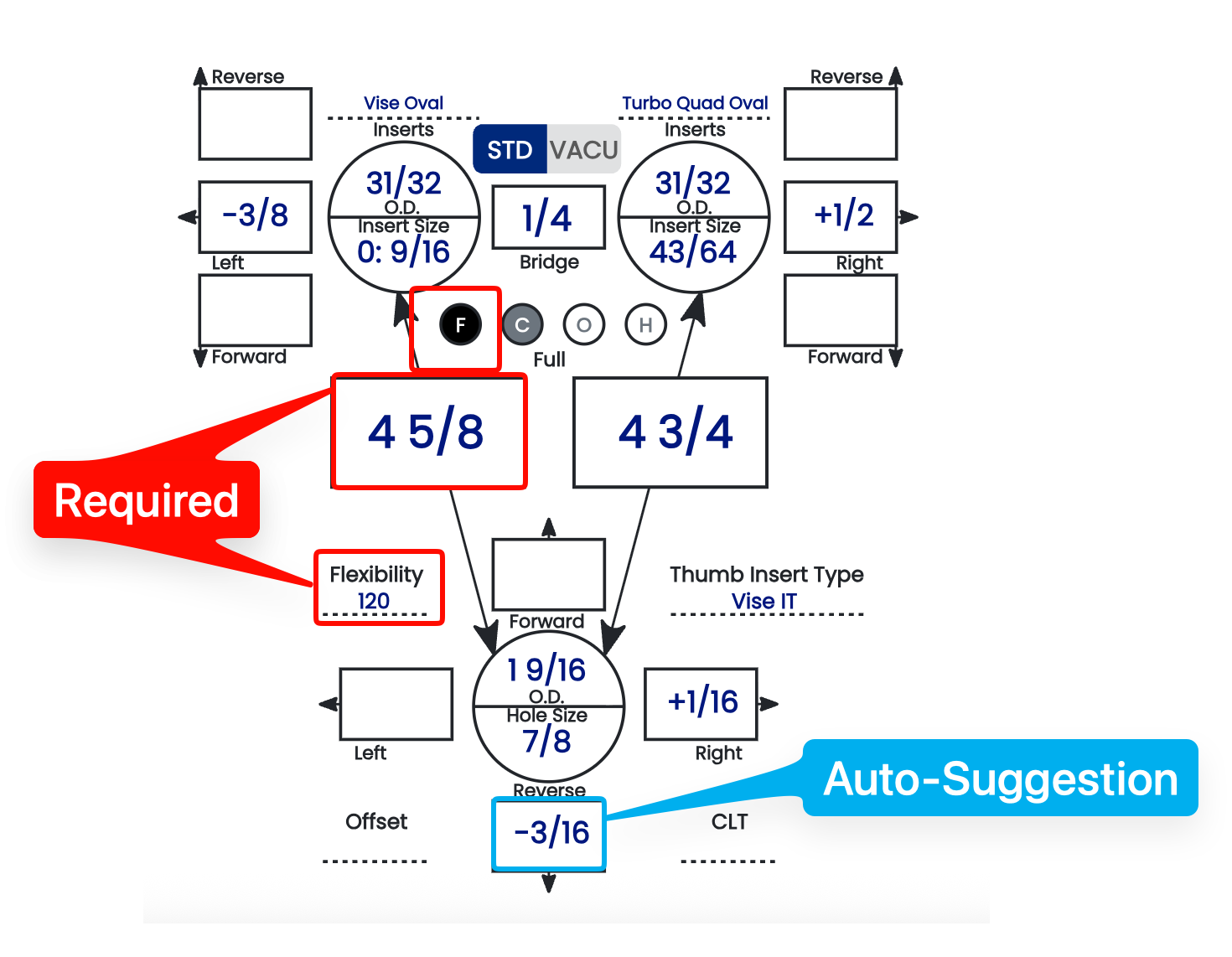
In order for this auto-suggestion to work, there needs to be a middle finger full span and a thumb flexibility selected. The fitter can accept it, adjust it, or clear it entirely. Below is the reference chart that is used in the software.
The PRO column is suggested for more experienced bowlers. This is where the matrix is 4 1/2 span = 0 pitch. Everything is relative to that and will suggest more forward pitch compared to other values.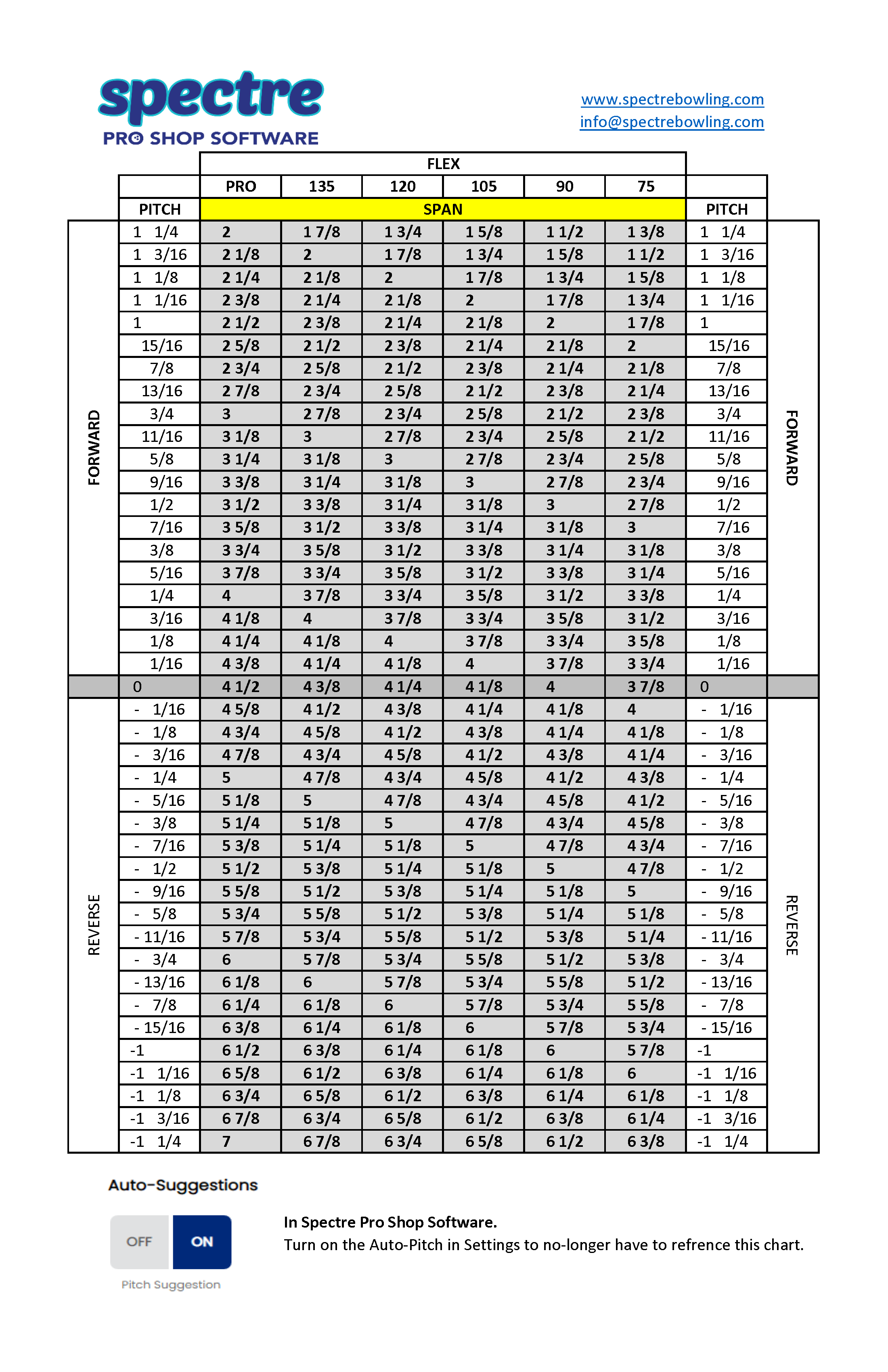
Related Sections
- 2.6.1 — Overview: why leaving all auto-suggestions on saves time
- 2.6.3 — Next auto-suggestion setting (if applicable)
- 2.4.2 — Does your machine display forward thumb pitch as positive? Y/N
- 2.4.3 — Display +/- in pitch tiles: showing direction arrows to avoid errors
- 4.x — Spec Sheet: entering and reviewing pitch values
- 3.x — Bowlers: recording hand flexibility in a bowler profile
Tip: Hand flexibility changes over time — particularly for older bowlers or those managing arthritis or injury. If a returning bowler's pitch suggestion seems off, check whether their flexibility measurement in Spectre Cloud is current before overriding the suggestion manually. Updating the flexibility value will recalibrate the suggestion for all future spec sheets.
2.6.3 Auto-CLT — lateral pitch of fingers based on CLT chart
2.6.3 auto
Center Line Tilt (CLT) is the reference chart Spectre uses to set the lateral pitch of the middle and ring fingers when a bowler's fingers naturally angle away from the grip's center line. This page explains what CLT is, how to read the chart, and how Spectre's Auto-CLT setting applies it for you.
🎯 What Center Line Tilt Is
Most hands don't hold the ball with the middle and ring fingers running perfectly parallel to the grip's center line. Instead, the fingers fan out from the center line at an angle. Center Line Tilt is that angle — measured in degrees — and it determines how much lateral (left/right) pitch each finger needs so the holes follow the natural line of the fingers.
- ✅ A larger tilt angle means the fingers splay more from the center line.
- ✅ The middle finger and ring finger each get their own lateral pitch, in opposite directions, so the grip matches the hand.
- ✅ Getting CLT right improves comfort, release consistency, and reduces grip fatigue.
📐 Reading Diagram #1 (The CLT Chart)
The CLT chart maps five tilt lines — A through E — to their tilt angle and the resulting lateral pitch for each finger. As the angle increases from 8° to 40°, the middle finger and ring finger pitches shift in opposite directions.
🎳 For Right-Hand Bowlers
| Line | Tilt Angle | Middle Finger | Ring Finger |
|---|---|---|---|
| A | 8° |
3/8" Left | 1/2" Right |
| B | 16° |
5/16" Left | 9/16" Right |
| C | 24° |
1/4" Left | 5/8" Right |
| D | 32° |
3/16" Left | 11/16" Right |
| E | 40° |
1/8" Left | 3/4" Right |
🎳 For Left-Hand Bowlers
The left-hand chart mirrors the right-hand values — the directions flip, and the ring/middle columns swap.
| Line | Tilt Angle | Ring Finger | Middle Finger |
|---|---|---|---|
| A | 8° |
1/2" Left | 3/8" Right |
| B | 16° |
9/16" Left | 5/16" Right |
| C | 24° |
5/8" Left | 1/4" Right |
| D | 32° |
11/16" Left | 3/16" Right |
| E | 40° |
3/4" Left | 1/8" Right |
Tip: If your Spectre Flip Lateral Pitches RH/LH setting is ON, switching a bowler's hand automatically inverts these lateral pitches for you — no need to look up the opposite chart by hand.
🛠️ How Spectre Applies CLT — Auto-CLT
Rather than looking these values up manually, Spectre's Auto-CLT setting reads the tilt angle you enter for a bowler and fills in the suggested lateral pitch for each finger straight from this chart.
- ✅ Auto-CLT ON — Spectre suggests the middle- and ring-finger lateral pitches automatically from the CLT chart, saving lookup time.
- ❌ Auto-CLT OFF — no lateral pitch is suggested; you enter each finger's pitch manually from the chart above.
Worked Example — 24° Tilt (Line C)
A right-hand bowler with a 24° center line tilt falls on Line C. From the chart, Spectre suggests:
- Middle finger: 1/4" Left
- Ring finger: 5/8" Right
With Auto-CLT ON, those two values are filled in automatically the moment the tilt is set.
Related Sections
- Settings → Auto-Suggestions → Auto-CLT (section 2.6.3)
- Settings → Auto-Suggestions → Pitch Suggestion
- Settings → Auto-Suggestions → Flip Lateral Pitches RH/LH
Note: CLT sets lateral finger pitch only. Forward/reverse pitch and span are handled separately by the Pitch Suggestion and span rules.
2.6.4 Auto-Populate Lateral Pitches
2.6.4 auto
The Auto-Populate Lateral Pitches is another time saving auto-suggestion for Spectre Cloud. Pre-requisites for this to work will be Bowler Hand and Grip Type, both of which are System Defaults that you can setup in your settings.
📐 What values are populated
Lateral pitches will be auto-populated based on the header of the spec sheet.
- ✅ Bowler Hand: RH or LH will dictate the proper direction of the lateral pitches in the fingers.
- ✅ Grip Type: will determine which values are used.
- ✅ Will flip values or change values if one of those two values are changed during the data-entry process.
Defaults
| Right Handed | Left Handed | |||
|---|---|---|---|---|
| Finger | Middle | Ring | Middle | Ring |
| Conventional | 1/4 L | 5/8 R | 1/4 R | 5/8 L |
| Finger Tip | 3/8 L | 1/2 R | 3/8 R | 1/2 L |
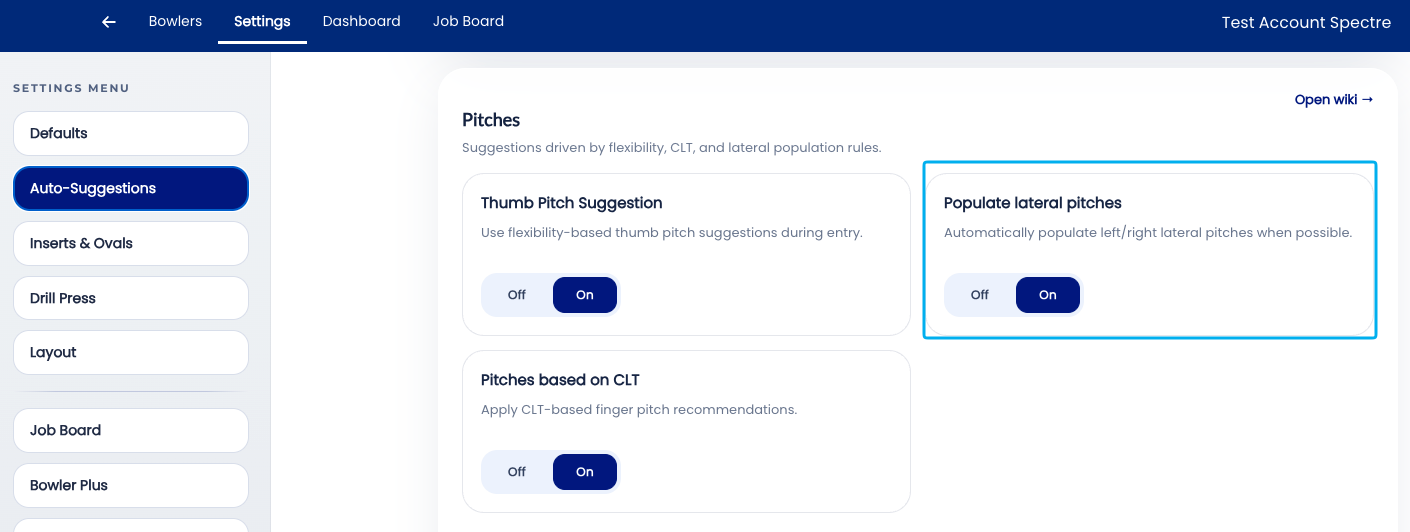
🛠️ Enabling or Disabling Auto-Populate Laterals
Related Sections
- 2.6.3 — Auto-CLT: lateral pitch of fingers based on CLT chart
- 2.6.2 — Pitch suggestion: auto forward pitch based on hand flexibility
- 2.6.1 — Overview: why leaving all auto-suggestions on saves time
- 2.6.5 — Next auto-suggestion setting (if applicable)
- 2.4.1 — Does your machine display right pitch as positive? Y/N
- 3.x — Bowlers: recording handedness in a bowler profile
- 4.x — Spec Sheet: cloning and applying templates
2.6.5 Autofill Bridge
2.6.5 auto
The Autofill Bridge setting controls whether Spectre Cloud automatically populates the bridge measurement field on a new spec sheet based on the bowler's grip style. When enabled, the engine applies the industry-standard bridge width for the detected grip type — 1/4" for fingertip grips and 3/8" for conventional grips — without the fitter needing to enter the value manually. For the vast majority of bowlers whose bridge falls at the standard width, this eliminates a repetitive data entry step on every spec sheet. This setting will simplify the data-entry process.
🎳 What Is the Bridge?
The bridge is the distance between the edge of the middle finger hole and the edge of the ring finger hole. It is one of the smallest measurements on a spec sheet but one of the most consistently standardised — most bowlers use the industry-standard width for their grip type, and deviations from standard are the exception rather than the rule.
- ✅ Fingertip grip standard:
1/4"— the narrower bridge suits the extended finger position used in fingertip grips. - ✅ Conventional grip standard:
3/8"— the slightly wider bridge accommodates the deeper finger insertion of a conventional grip. - ✅ Both values are industry standards and represent the correct starting point for the overwhelming majority of bowlers in each grip category.
- ⚠️ Both values are manufacturer minimum requirements for warranty purposes. If a ball cracks and does not meet these requirements, it is possible the ball is void of warranty.
- ⚠️ The bridge is the most fragile spot on the bowling ball and these defaults are STRONGLY SUGGESTED. It is not recommended to go shorter than what is suggested in Spectre Proshop Software.
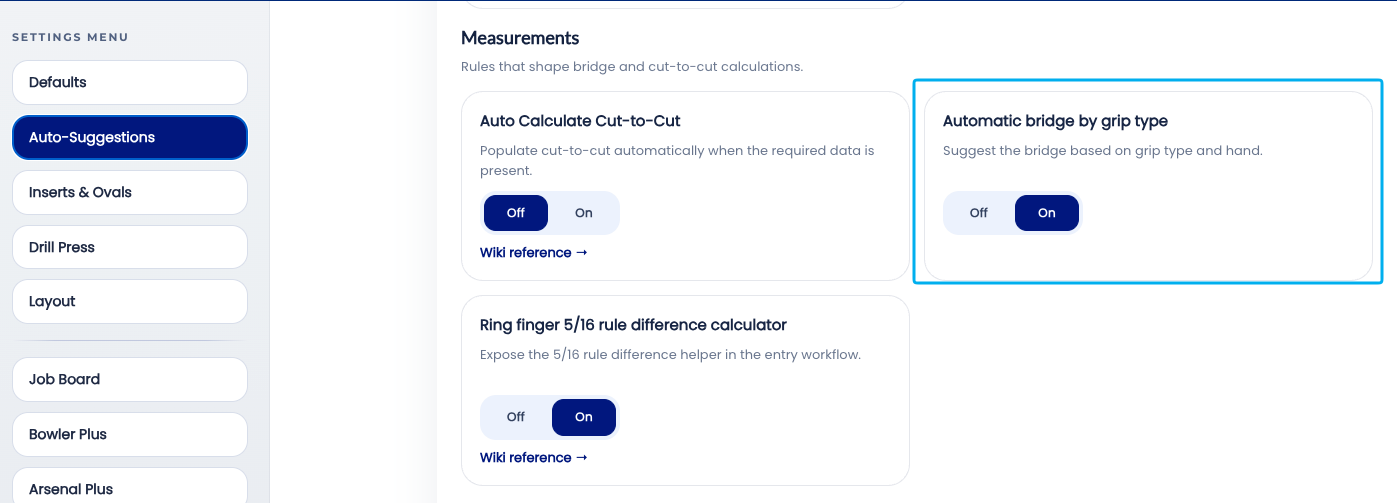
🛠️ Enabling or Disabling Autofill Bridge
📊 Autofill Bridge Values by Grip Type
| Grip Type | Autofill Bridge Value | Notes |
|---|---|---|
| Fingertip | 1/4" |
Standard for fingertip grip; suits the majority of fingertip bowlers |
| Conventional | 3/8" |
Standard for conventional grip; suits the majority of conventional bowlers |
Note: Autofill Bridge requires the bowler's grip type to be recorded in Spectre Cloud in order to apply the correct value. If no grip type is on record, the field will remain blank pending manual entry.
Related Sections
- 2.6.4 — Auto-invert standard lateral pitches when changing from RH bowler to LH
- 2.6.3 — Auto-CLT: lateral pitch of fingers based on CLT chart
- 2.6.2 — Pitch suggestion: auto forward pitch based on hand flexibility
- 2.6.1 — Overview: why leaving all auto-suggestions on saves time
- 2.6.6 — Next auto-suggestion setting (if applicable)
- 3.x — Bowlers: recording grip type in a bowler profile
- 4.x — Spec Sheet: entering and reviewing bridge measurements
Tip: Bridge is one of the most consistently standard measurements in pro shop fitting — the IBPSIA values hold for the vast majority of bowlers. Autofill Bridge is the auto-suggestion setting with the highest acceptance rate and the lowest override frequency. Leave it on and let it do its job.
2.6.6 Autofill Insert OD
2.6.6 auto
The Autofill Insert OD setting controls whether Spectre Cloud automatically suggests the correct drill bit size for a bowler's finger holes based on their insert type and grip style. Insert OD (Outside Diameter) refers to the outer diameter of the finger insert being used — the drill bit must match this diameter precisely to achieve the correct fit. When enabled, Spectre Cloud pre-populates the drill bit size field as soon as insert type and grip are recorded, eliminating a manual lookup step and reducing the risk of drilling a hole sized for the wrong insert.
🎳 What Is Insert OD?
Finger inserts are small gripping devices — typically made from urethane or similar materials — that are fitted into the finger holes of a bowling ball to provide a consistent, cushioned grip surface. Each insert has a specific Outside Diameter (OD), which is the measurement the drill bit must match when cutting the hole. Using the wrong bit size produces a hole that is either too tight (requiring force to seat the insert, risking cracking) or too loose (causing the insert to slip or fall out).
- ✅ Insert OD varies by insert brand, model, and size — there is no universal drill bit size for all inserts.
- ✅ Grip style also influences the correct OD — fingertip and conventional grips use different insert seating depths, which can affect the effective fit.
- ✅ Autofill Insert OD removes the need to consult a per-brand reference chart on every spec sheet where inserts are used.
📊 How Insert OD Is Determined
When Autofill Insert OD is enabled, Spectre Cloud cross-references two pieces of information already on the spec sheet to derive the correct drill bit size:
| Input | Why It Matters |
|---|---|
| Insert type / brand / model | Each manufacturer of grips will have different OD's per grip size. |
| Insert size | The size inside the insert will correspond to a OD size of that style insert. Ex: Turbo Quad Oval Mesh, in 7/8 Insert size, will give a 1 1/32 OD. Where a 11/16 of the same insert will give you a 31/32 OD. |
🛠️ Enabling or Disabling Autofill Insert OD
Related Sections
- 2.6.5 — Autofill Bridge: auto standard bridge (1/4" fingertip, 3/8" conventional)
- 2.6.4 — Auto-invert standard lateral pitches when changing from RH bowler to LH
- 2.6.1 — Overview: why leaving all auto-suggestions on saves time
- 2.6.7 — Next auto-suggestion setting (if applicable)
- 3.x — Bowlers: recording grip style in a bowler profile
- 4.x — Spec Sheet: entering insert type and OD
- 7.x — Arsenal Plus: ball drilling history and insert records
Tip: Insert OD is one of the most brand-specific measurements in the spec sheet — a value that is correct for one insert line may be wrong for another from the same manufacturer. If your shop switches insert brands or adds a new product line, check whether the new inserts are in Spectre Cloud's database before relying on Autofill Insert OD. A quick test sheet before the first fitting with a new insert type is cheap insurance.
```
2.6.7 Auto-Repeat Insert Type and Size
2.6.7 auto
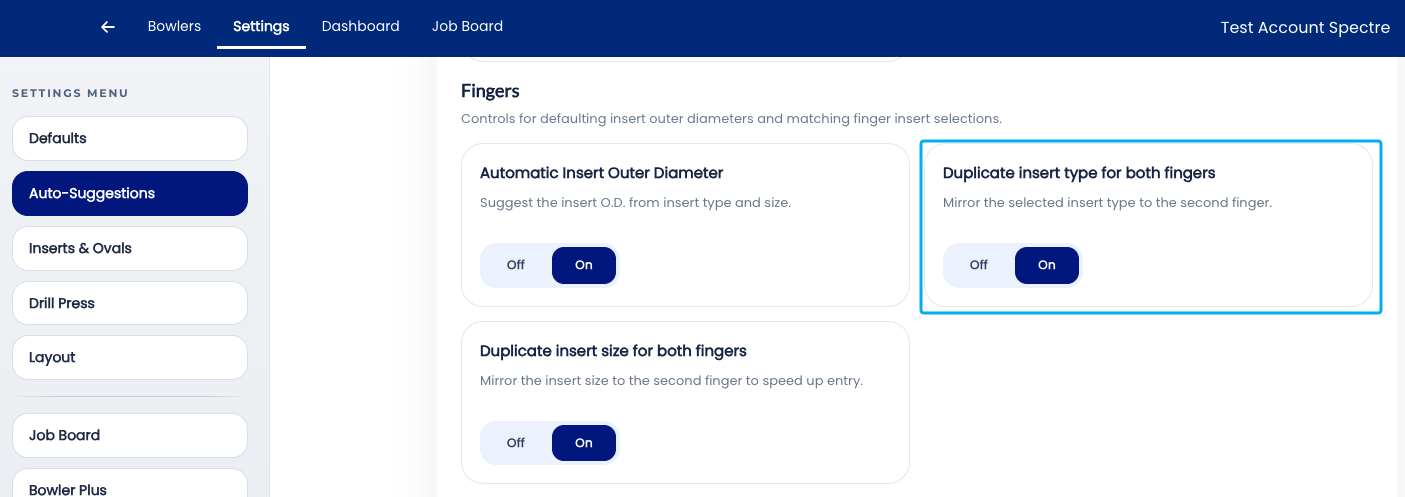
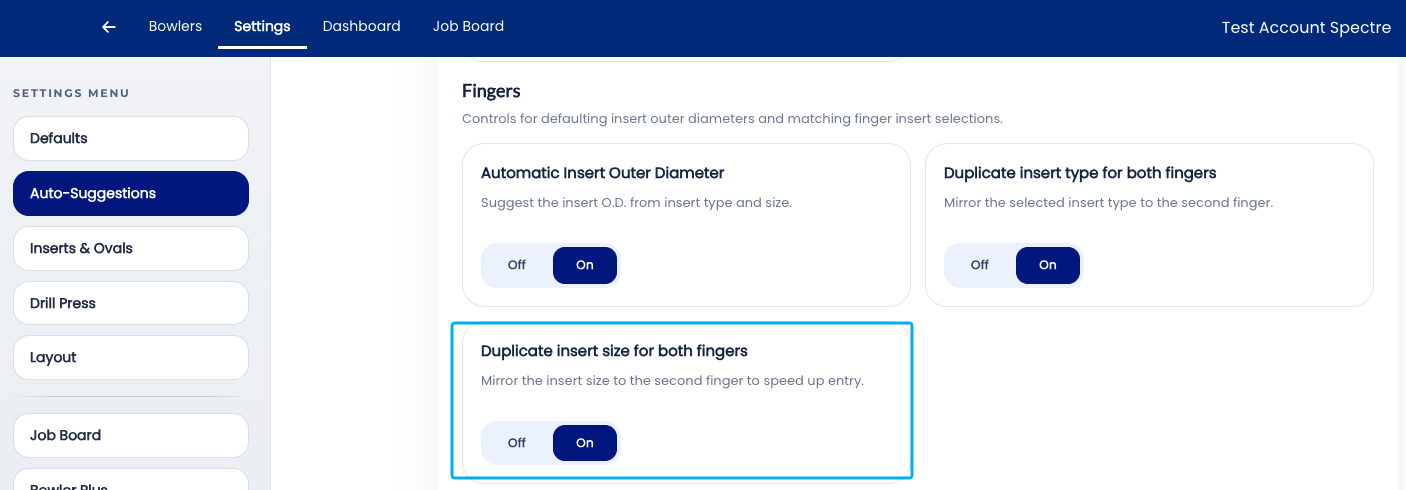
These two auto-suggestions are simply to speed up the data-entry process.
Typically, bowlers will use the same insert type on both fingers, therefore the "Auto-Repeart Insert Type" will populate both fingers with the selected insert type from the middle finger.
Second, by turning on the "Auto-Repeart Insert Size", once you select the middle finger insert size, it will duplicate it on the ring finger. This is nice since most ring fingers are only a size or two smaller than the middle finger. Ex: Middle finger = 11/16, Ring might be 21/32, which is right below the list in the dropdown. This removes unnecessary scrolling and helps save you some time.
🛠️ Enabling or Disabling Auto-Repeat Insert Type
🛠️ Enabling or Disabling Auto-Repeat Insert Size
Related Sections
- 2.6.6 — Autofill Insert OD: auto drill bit size per insert type and grip
- 2.6.5 — Autofill Bridge: auto standard bridge (1/4" fingertip, 3/8" conventional)
- 2.6.1 — Overview: why leaving all auto-suggestions on saves time
- 2.6.8 — Next auto-suggestion setting (if applicable)
- 3.x — Bowlers: recording finger measurements in a bowler profile
- 4.x — Spec Sheet: entering insert sizes and OD
Tip: Auto-Repeat Insert Size is one of those settings that is invisible when it is working correctly — the middle finger field is simply already filled in when the fitter gets to it. Its value becomes obvious the first time it is turned off and a fitter submits a spec sheet with the middle finger field blank. Leave it on.
2.6.8 Ring finger 5/16 rule difference calculator
2.6.8 auto
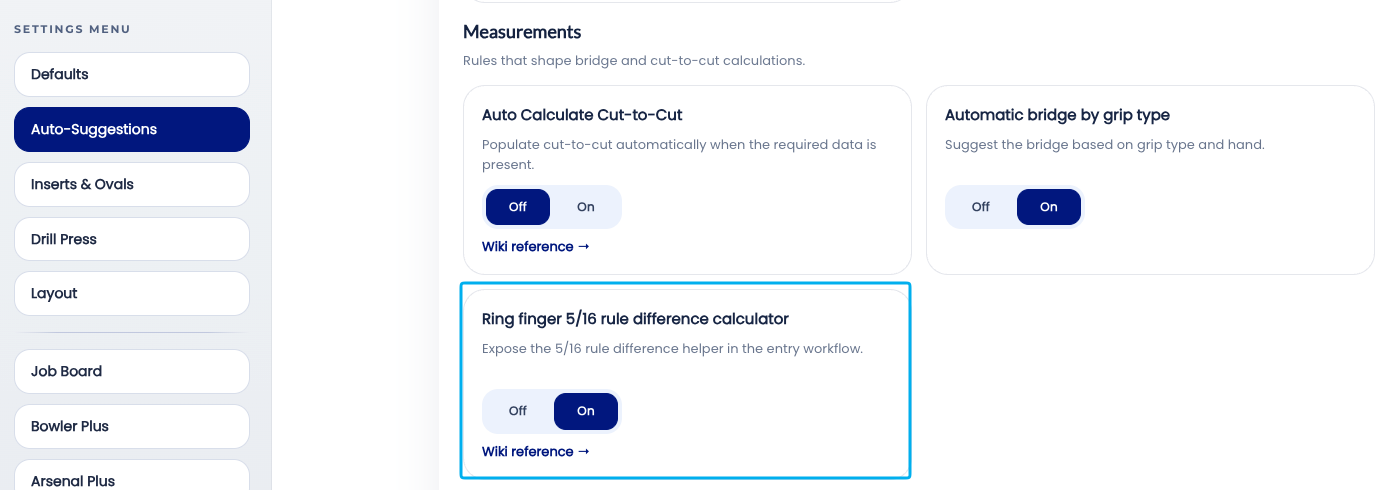
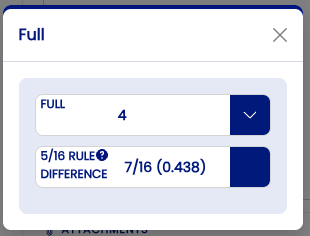
The Ring finger 5/16 rule difference calculator setting controls whether Spectre Cloud will display an extended pop-up window when populating the RING FINGER.
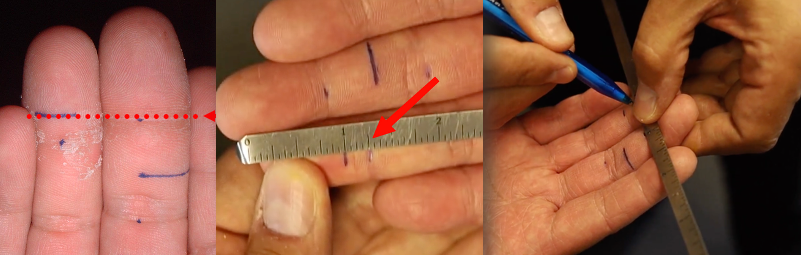
The 5/16th rule is something that was taught by Bill Taylor and is a common measurement used if you are fitting with a BT Ball Fitter.
📐 What Is the 5/16" Rule?
The 5/16" rule is an IBPSIA-recognised fitting convention that defines the standard offset between the middle and ring finger spans. It reflects the natural length difference between the two fingers.
To get the base measurement required for the 5/16 rule, first start by measuring the difference between both fingers. Draw the Middle Finger crease, on the Ring Finger. Measure the difference.
📊 How the Calculation Works
The auto-calculation is straightforward: Spectre Cloud subtracts 5/16" from the difference measured above.
| Middle Finger Span | Difference Measured | Formula | Ring Finger Span |
|---|---|---|---|
4" |
5/16" |
5/16 - 5/16 = 0 | 4" |
4" |
3/16" |
5/16 - 3/16 = 1/8 | 4 1/8" |
4" |
7/16" |
5/16 - 3/16 = -1/8 | 3 7/8" |
🛠️ Enabling or Disabling 5/16 calculator
🔄 Overriding the Auto-Calculated Value
The auto-calculated ring span is a suggestion, not a lock. It can be overridden manually on any individual spec sheet without affecting the account setting.
- ✅ Select a different ring span value — the override is saved to the spec sheet as entered.
- ✅ Select a different 5/16 rule value to calculate the span
Both drop downs are related to one-another. Either select the measurement or the difference.
Related Sections
- 2.6.7 — Auto-Repeat Insert Size: mirror size from ring to middle finger
- 2.6.6 — Autofill Insert OD: auto drill bit size per insert type and grip
- 2.6.5 — Autofill Bridge: auto standard bridge (1/4" fingertip, 3/8" conventional)
- 2.6.1 — Overview: why leaving all auto-suggestions on saves time
- 2.6.9 — Next auto-suggestion setting (if applicable)
- 2.3.2 — Span type configuration: Full Span, Edge, Center
- 4.x — Spec Sheet: entering span measurements
- 3.x — Bowlers: recording finger measurements in a bowler profile
Tip: The 5/16" rule has been a pro shop standard for decades because it works for the overwhelming majority of bowlers. Auto-Calculate Ring Span turns that standard into a zero-effort step — the ring span is simply there when the fitter reaches that field. For the small number of bowlers where the standard offset doesn't apply, the override takes seconds. The math is always done; the question is only whether Spectre Cloud does it or the fitter does.
```
2.6.9 Autofill Cut to Cut measurement based on insert type/size
2.6.9 setting
The Autofill Cut to Cut auto-suggestion calculates a spec sheet's Cut to Cut (C) span for you, so you don't have to measure it separately or subtract the insert thickness by hand. It derives the value directly from the Full Span already on the sheet — but it only runs when every input it depends on is present.
Note: This page covers the auto-suggestion setting. For what the Cut to Cut span type is and how it differs from Full Span, Outer to Cut, and Hole to Hole, see 4.1.2. For the span type acronyms (F, C, O, H), see 4.1.1.
🛠️ What This Setting Does
Cut to Cut is the Full Span minus the thickness of the insert — the span measured to the actual drilled cut of the finger hole, before the grips are accounted for. Instead of measuring that value at the bench or doing the subtraction mentally, Autofill Cut to Cut computes it from information already on the spec sheet.
- ✅ Removes the mental math when drilling thumb-first — the Cut to Cut value is ready to work from at the press.
- ✅ Keeps Full Span and Cut to Cut consistent with each other, since one is derived from the other.
- ✅ Reduces measurement error — the value is calculated, not re-measured.
📐 How the Calculation Works
Autofill Cut to Cut uses the insert type and insert size to determine the wall thickness of each finger's insert, then subtracts that thickness from the Full Span:
Full Span − insert wall thickness = Cut to Cut
The insert type and size are what tell Spectre Cloud how thick the insert wall is. Without them, there is no wall thickness to subtract, and the calculation cannot complete.
📋 Requirements — What Must Be Present
The calculation runs per finger, and it needs complete information for both the middle and ring fingers. If any single input below is missing on either finger, Cut to Cut will not auto-calculate.
| Required input | Middle finger | Ring finger |
|---|---|---|
| Full Span measurement | ✅ Required | ✅ Required |
| Insert type | ✅ Required | ✅ Required |
| Insert size | ✅ Required | ✅ Required |
Important: All three inputs must be present on both fingers. If even one finger is missing its Full Span, insert type, or insert size, the Cut to Cut value will not populate.
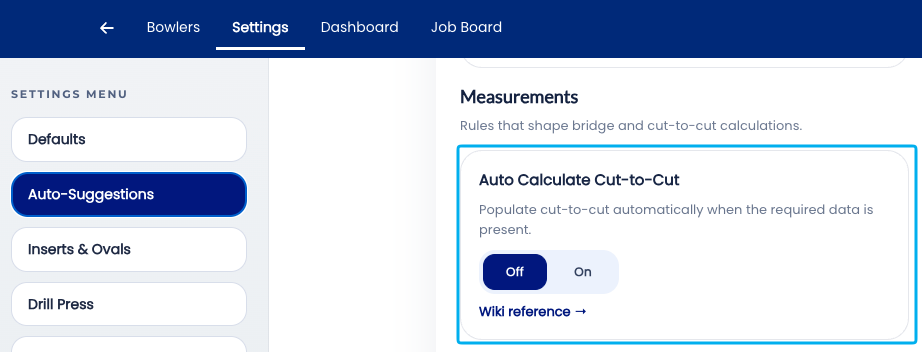
🗓️ Enabling Autofill Cut to Cut
- Open Spectre Cloud at
cloud.spectrebowling.comand log in. - Select Settings from the menu.
- Locate the Autofill Cut to Cut auto-suggestion and enable it.
- Changes are saved automatically.
❄️ Troubleshooting — Cut to Cut Isn't Filling In
If the Cut to Cut value stays blank, the cause is almost always a missing input. Check, for both the middle and ring fingers:
- ✅ Is the Full Span entered on both fingers?
- ✅ Is the insert type selected on both fingers?
- ✅ Is the insert size selected on both fingers?
- ❌ If any one of these is blank on either finger, the calculation will not run until it's filled in.
Related Sections
- 4.1.2 — Span types: Full Span, Cut to Cut, Outer to Cut, Hole to Hole
- 4.1.1 — Understanding acronyms: F, C, O, H
- 2.6.8 — Auto-Calculate Ring Span: based on the 5/16" rule
- 2.6.6 — Autofill Insert OD: drill bit size per insert type and grip
Tip: Enter your Full Span and both inserts (type and size) before reaching for the Cut to Cut field — as soon as all six inputs are in place, the value fills itself in. If you drill thumb-first, this setting is one of the biggest time-savers in your workflow, since it hands you a ready-to-use Cut to Cut number with no bench measurement and no mental subtraction.
2.6.10 Layout Suggestions
2.6.10 auto
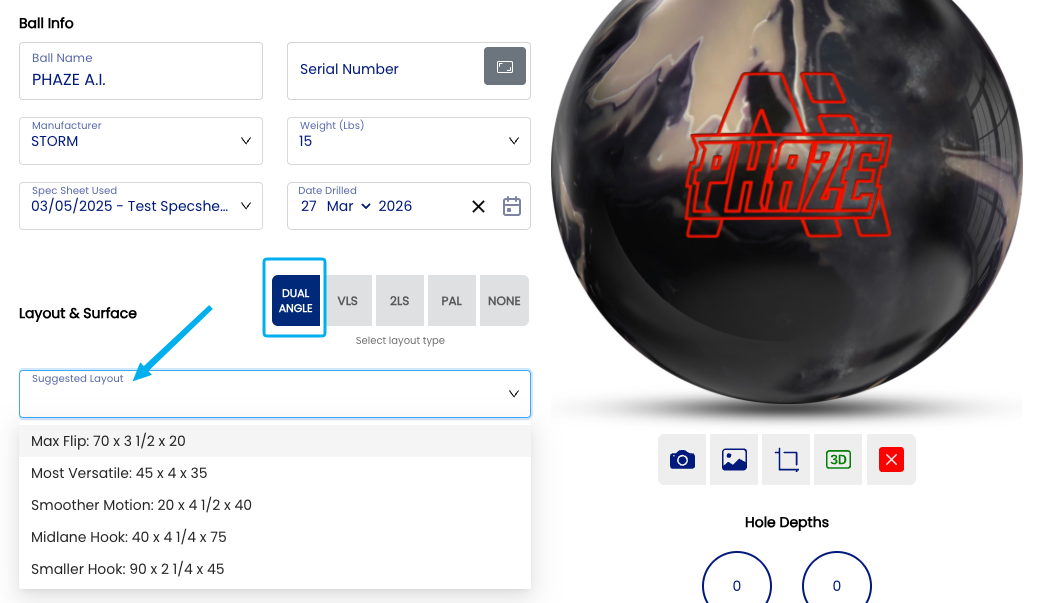
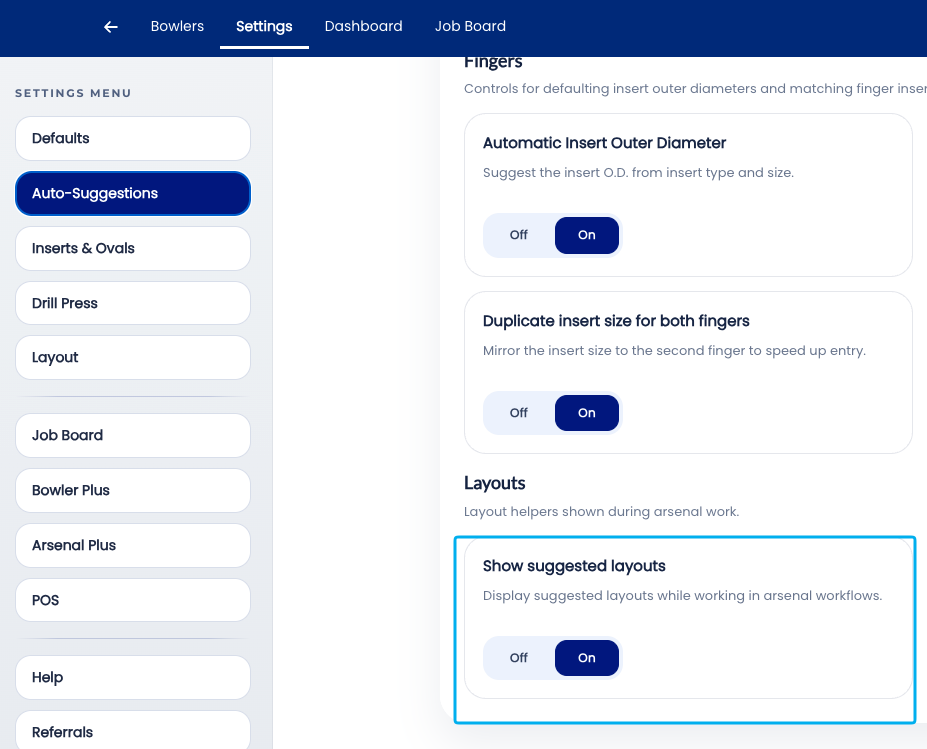
The Auto-Suggest Layouts will display an additional input in the Arsenal page. A "Suggested Layout" dropdown will now appear over the layout input fields. These layout suggestions are the manufacturer suggested layouts, based on the layout style you had selected.
📊 Layout suggestions
There is no AI built into this tool. It is as simple as the suggested layouts per manufacturer on their website. This setting is simply a time saver based on general knowledge of what is required from the bowler.
| Layout Type | Suggestions | Link |
|---|---|---|
| Dual Angle | Brunswick suggested standard layouts | Brunswick Universal Drilling Instructions |
| VLS | Storm suggested standard layouts | Storm Downloads |
| 2LS | Storm suggested standard layouts for 2 handed bowlers. | Storm Downloads |
| PAL | Bowling Science standard suggested layouts. | PAL YouTube Video |
Note: ⚠️ These suggestions are widely available online on the manufacturer websites.
🛠️ Enabling or Disabling Auto-Suggest Layouts
Related Sections
- 2.6.9 — Autofill Cut to Cut: based on insert type/size
- 2.6.1 — Overview: why leaving all auto-suggestions on saves time
- 2.5.1 — Default layout type: VLS, 2LS, Dual Angle, None
- 2.5.1.3 — PAL / Dual Angle system
- 2.6.11 — Next auto-suggestion setting (if applicable)
- 3.x — Bowlers: completing a full bowler profile
- 4.x — Spec Sheet: reviewing and accepting a layout suggestion
- 7.x — Arsenal Plus: suggested layouts and layout conversion
Tip: Auto-Suggest Layouts gets better the more you use Spectre Cloud. Every spec sheet saved — whether the suggested layout was accepted, adjusted, or overridden — contributes to the bowler's history that informs the next suggestion. The engine is not static; it reflects the accumulated record of what has been drilled for each bowler. The sooner it is turned on, the sooner it starts building that record.