# 1.2.7 Resetting your password

# [Change And Update Password In Spectre Proshop Management](https://app.guidde.com/playbooks/vMRwuysMoxz93g5GgXtVgP)

<div id="bkmrk-click-here-to-watch">[Click here to watch](https://app.guidde.com/share/playbooks/vMRwuysMoxz93g5GgXtVgP)</div>### [![Quick guidde](https://static.guidde.com/v0/qg%2FYeZnBWH9tKbno3NrPKy3va5tdl52%2FvMRwuysMoxz93g5GgXtVgP%2F2Z7Bgxtx7sDT7jsXVHLepu_cover.png?alt=media&token=22db2404-5ded-4c6e-9a60-fa0633e4fd75)](https://app.guidde.com/share/playbooks/vMRwuysMoxz93g5GgXtVgP)

<div id="bkmrk-this-tutorial-guides">This tutorial guides you through changing your password in Spectre Proshop Management.</div>### Go to [cloud.spectrebowling.com](https://cloud.spectrebowling.com/)

### 1. Introduction

<div id="bkmrk-you-will-learn-how-t">You will learn how to securely update your login credentials to maintain account security.</div>![Introduction](https://static.guidde.com/v0/qg%2FYeZnBWH9tKbno3NrPKy3va5tdl52%2FvMRwuysMoxz93g5GgXtVgP%2FsEvj5KG6w1F2eGvR2EiwRP_doc.png?alt=media&token=333150e9-ab85-42d8-90c3-c525f7e6c380)

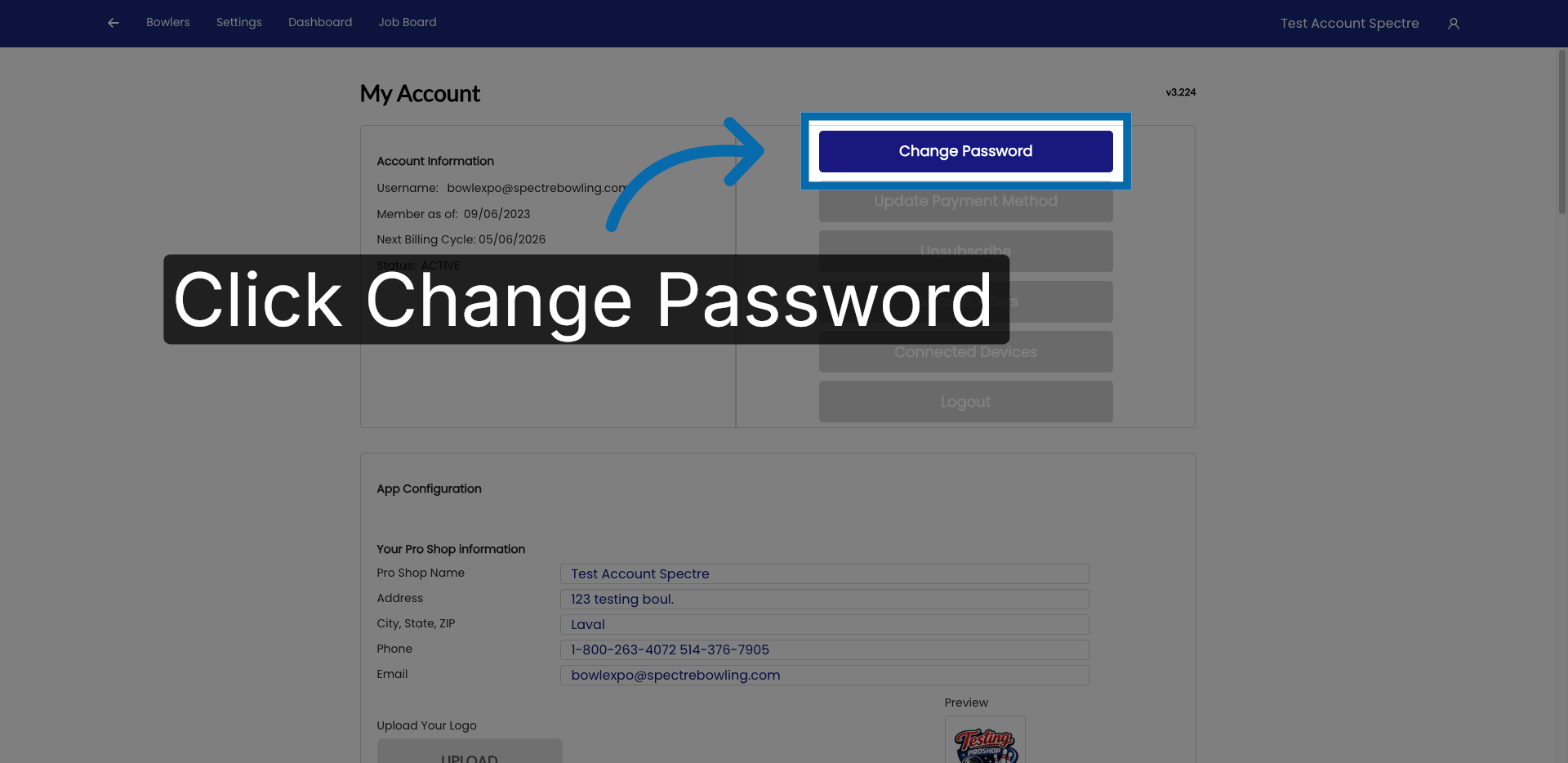
### 2. Access Change Password Section

<div id="bkmrk-click-%22change-passwo">Click "Change Password" to begin updating your account credentials.</div>![Access Change Password Section](https://static.guidde.com/v0/qg%2FYeZnBWH9tKbno3NrPKy3va5tdl52%2FvMRwuysMoxz93g5GgXtVgP%2F2Rraia5fetn94BbFhVhVWZ_doc.png?alt=media&token=44017eb3-8d05-4a22-893e-d5e2130a5977)

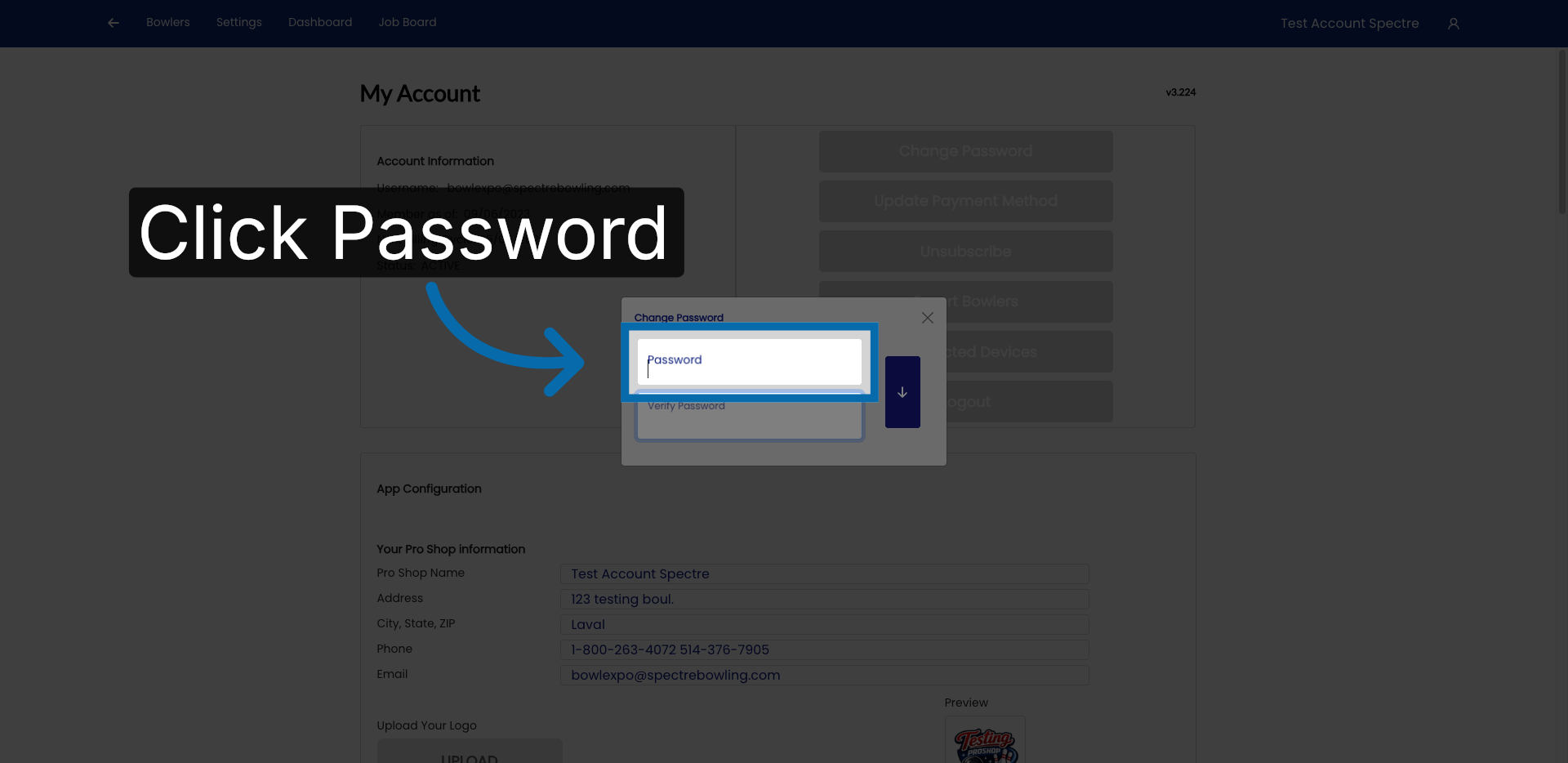
### 3. Open Password Settings

<div id="bkmrk-click-%22password%22-to-">Click "Password" to access the password modification options.</div>![Open Password Settings](https://static.guidde.com/v0/qg%2FYeZnBWH9tKbno3NrPKy3va5tdl52%2FvMRwuysMoxz93g5GgXtVgP%2FomkrwwypBUaXeqoHsVZxyr_doc.png?alt=media&token=15bae4bf-664e-401d-8401-5751e8058832)

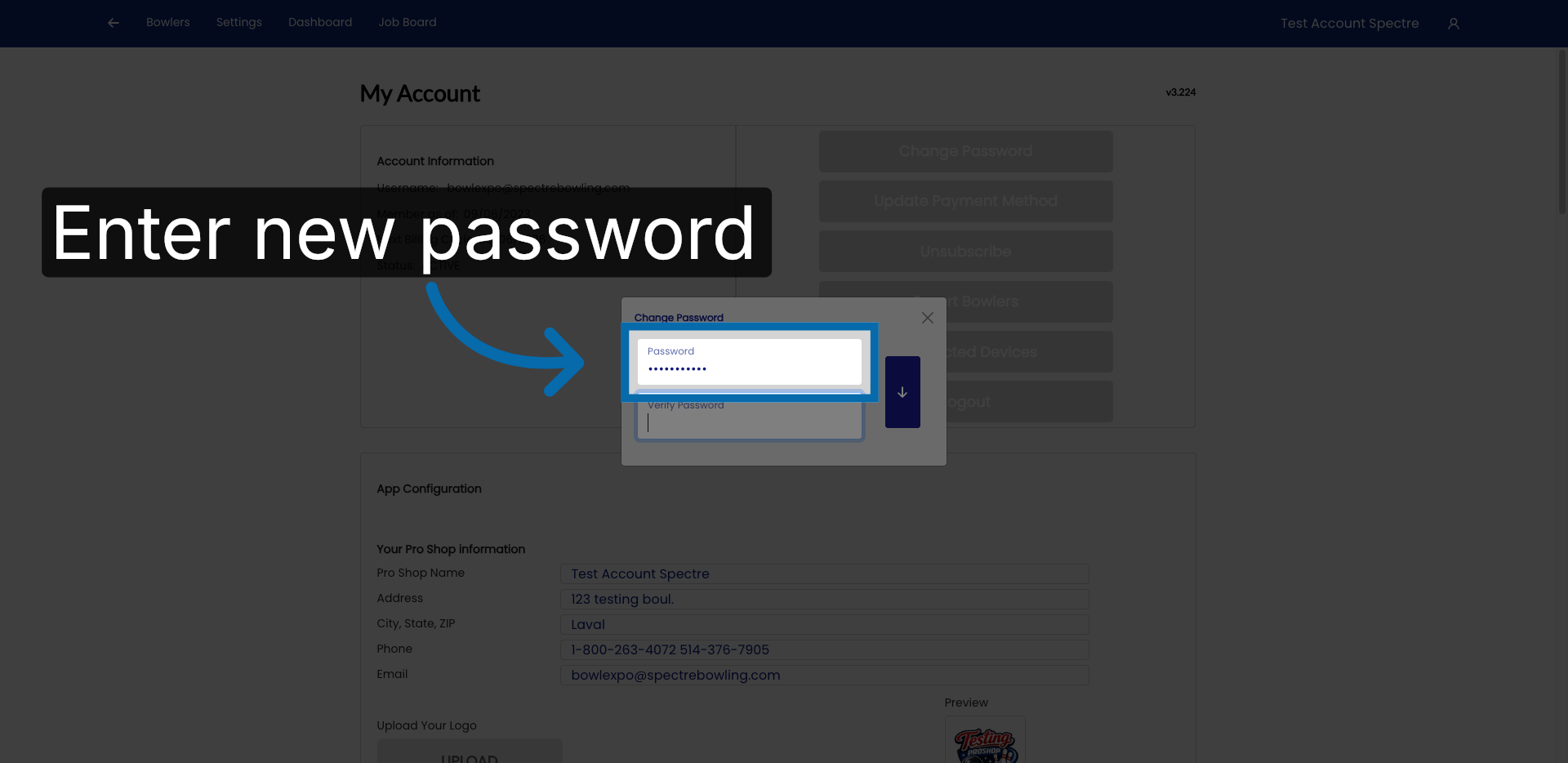
### 4. Enter New Password

<div id="bkmrk-enter-your-new-passw">Enter your new password in the provided field to set your updated login credentials.</div>![Enter New Password](https://static.guidde.com/v0/qg%2FYeZnBWH9tKbno3NrPKy3va5tdl52%2FvMRwuysMoxz93g5GgXtVgP%2F147j6tJdQG1secubVKxkcE_doc.png?alt=media&token=08b8f56a-00dd-48c8-ac6a-75ce13b9305c)

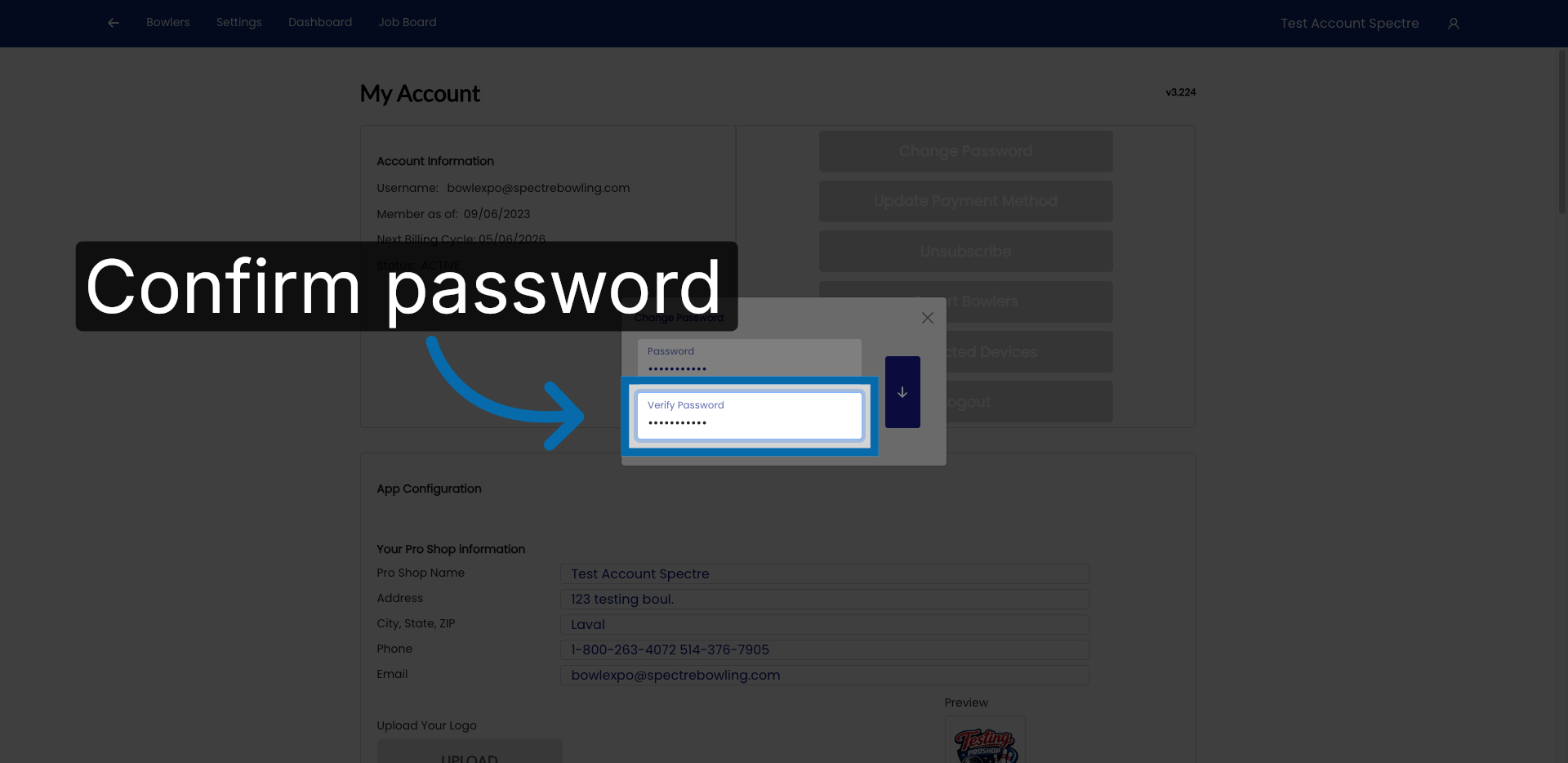
### 5. Confirm New Password

<div id="bkmrk-re-enter-your-new-pa">Re-enter your new password to confirm it matches the first entry.</div>![Confirm New Password](https://static.guidde.com/v0/qg%2FYeZnBWH9tKbno3NrPKy3va5tdl52%2FvMRwuysMoxz93g5GgXtVgP%2FrboNwsgN2kExRVMp8BcXyJ_doc.png?alt=media&token=17c0ba37-7f3b-483b-82b5-547b594a0e1f)

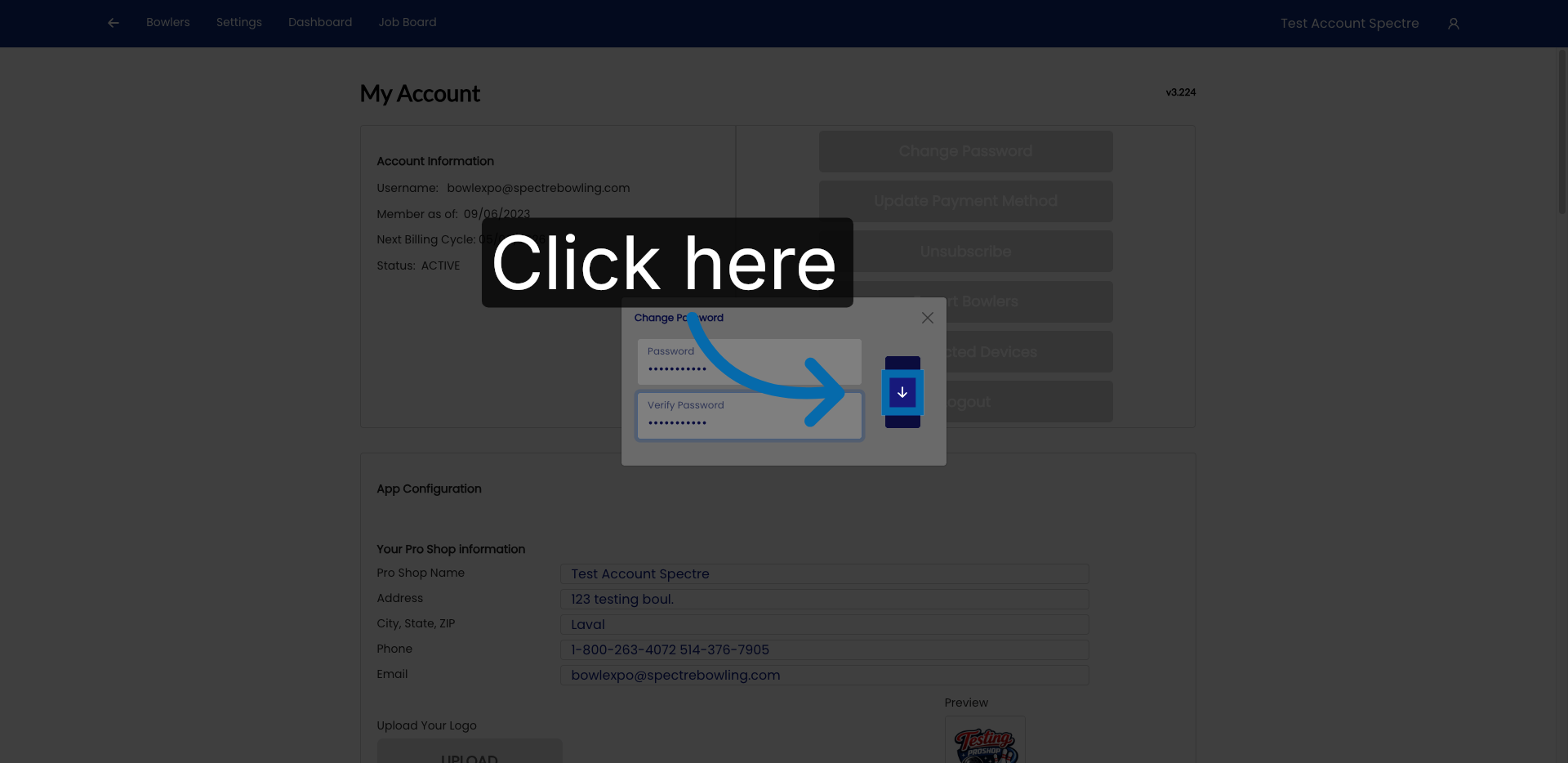
### 6. Proceed To Next Step

<div id="bkmrk-click-here-to-contin">Click here to continue to the next step in the password change process.</div>![Proceed To Next Step](https://static.guidde.com/v0/qg%2FYeZnBWH9tKbno3NrPKy3va5tdl52%2FvMRwuysMoxz93g5GgXtVgP%2FeDkw9xGyARfqM9hyw8rsAC_doc.png?alt=media&token=b056f541-c876-44bc-8a86-4be1b1670928)

### 7. Fill Current Password

<div id="bkmrk-enter-your-current-p">Enter your current password to verify your identity before saving changes.</div>![Fill Current Password](https://static.guidde.com/v0/qg%2FYeZnBWH9tKbno3NrPKy3va5tdl52%2FvMRwuysMoxz93g5GgXtVgP%2FwHkCapHWCSUzd5SbZ8wyDw_doc.png?alt=media&token=94e6a965-ec2c-4a2c-92e0-8f6078bca3b5)

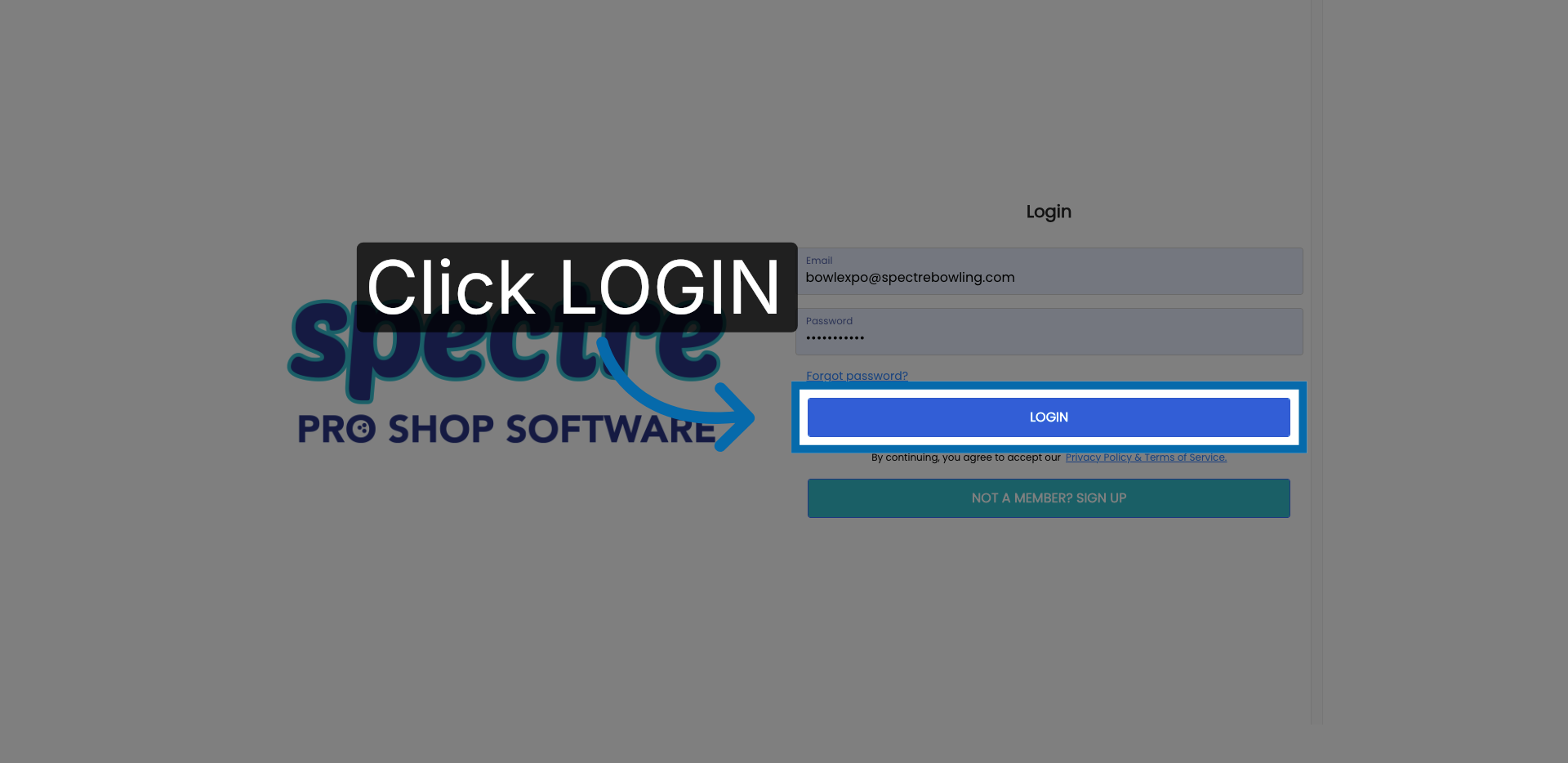
### 8. Submit Login Credentials

<div id="bkmrk-click-%22login%22-to-fin">Click "LOGIN" to finalize the password update and access your account with the new credentials.</div>![Submit Login Credentials](https://static.guidde.com/v0/qg%2FYeZnBWH9tKbno3NrPKy3va5tdl52%2FvMRwuysMoxz93g5GgXtVgP%2F7foSUd8Njh9qVRUDSa9HLq_doc.png?alt=media&token=b190edce-f5b6-4cb4-9650-4cb2877f4d7f)

<div id="bkmrk-you-have-successfull">You have successfully changed your password in Spectre Proshop Management. Your account is now secured with the updated credentials, and you can log in using your new password.</div><div id="bkmrk-powered-by%C2%A0guidde">[Powered by **guidde**](https://www.guidde.com/)</div>